Lets3dPrint
Lets3dPrint app icon New Flow Lines for lampshades and vases, textures as real faces and edges, surface waves and smart objects

CAD that knows your 3D printer

Exact solids and a full step history, plus what other modelling apps leave out: texture pressed into any face, waves that ripple over a surface, lampshades and vases woven from lines, a part designed once and placed a hundred times, ready-made parts you can still change, spreadsheets as 3D bars, locks that push and turn, and a check of every wall against your nozzle. A native Mac app that works offline, with your projects as ordinary files.

macOS 26 or later · Apple silicon · Modelling and the parts library are free; export, Print Check, textures, waves and scripts with Pro

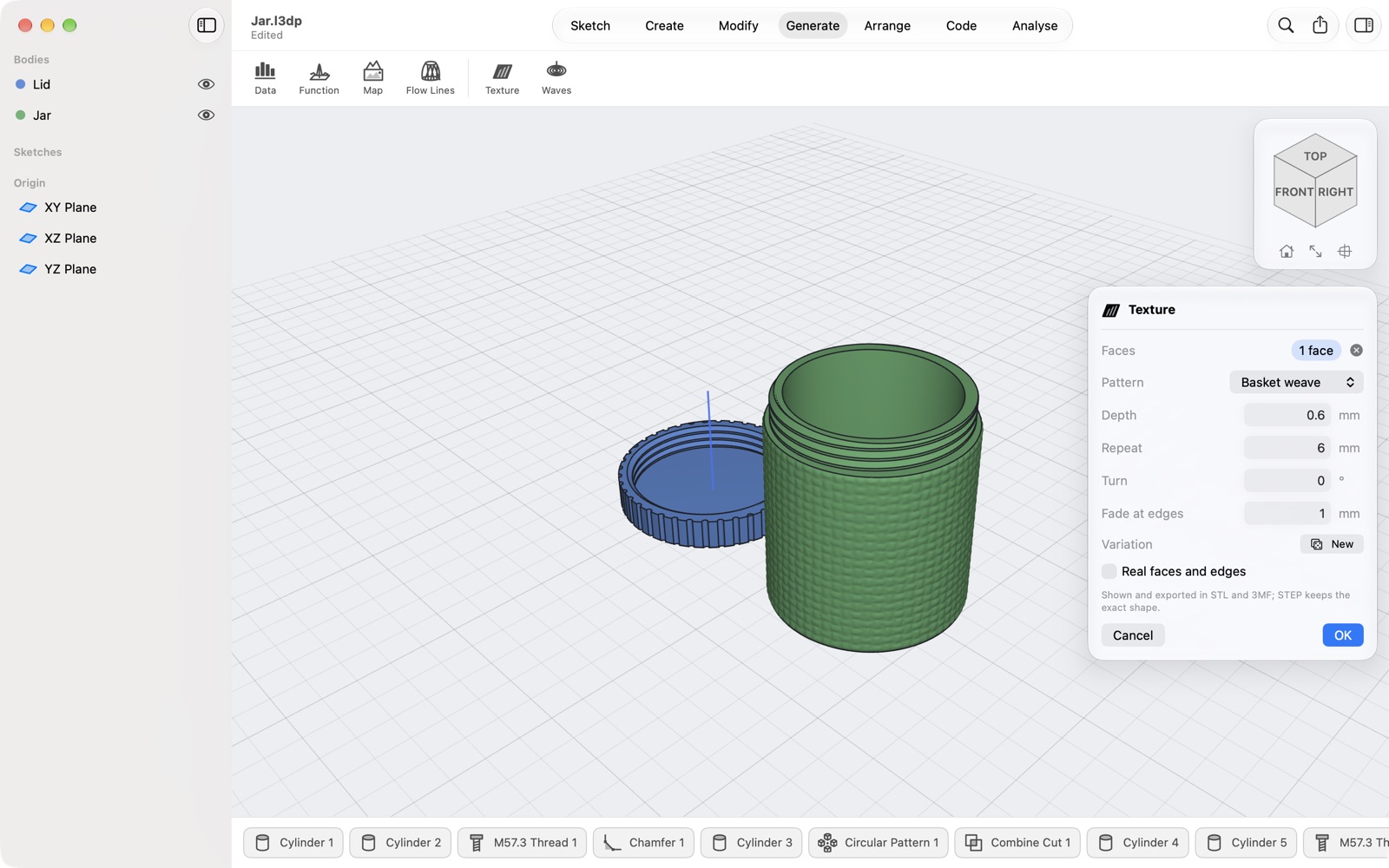
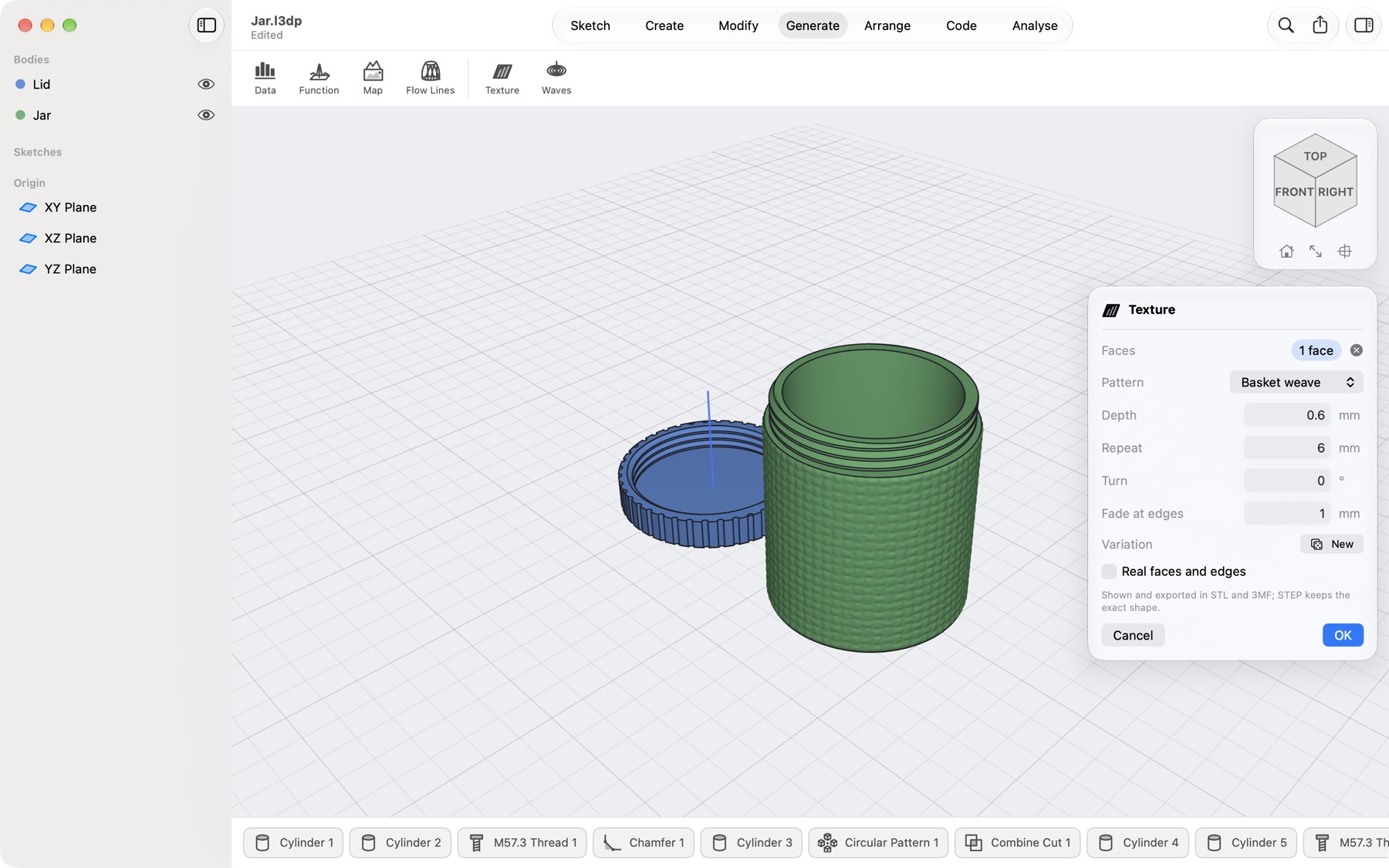
A screw-top jar from the parts library in Lets3dPrint, its wall being given a basket-weave texture, with the Texture dialog beside it
16 texturesknurl to wood grain
13 ready partsthat stay editable
Your nozzlechecked in every wall
$0to model, forever

Only here

What no other Mac CAD app does

We compared every CAD and 3D-printing app you can install on a Mac in October 2026. These are the tools you will find only in Lets3dPrint, all on exact solids, all steps in the timeline you can change later. See the comparison.

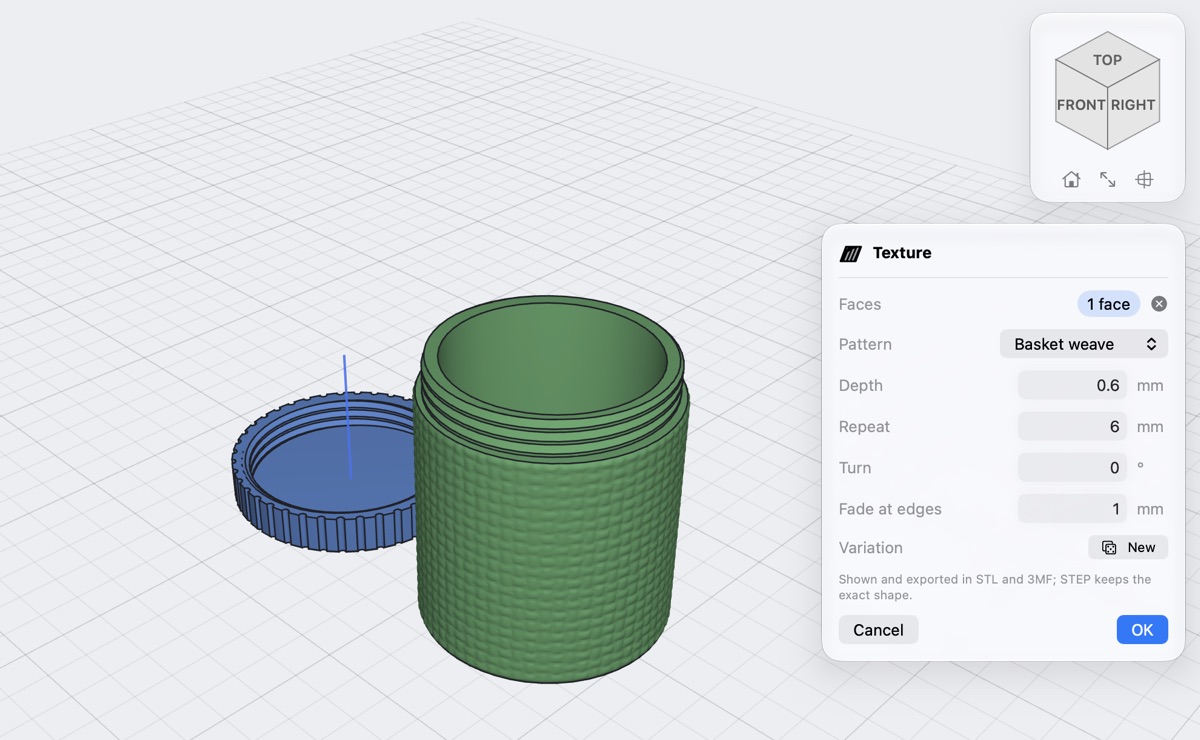
A jar's wall with a basket-weave texture, the Texture dialog with pattern, depth and repeat
Texture · Pro, preview free

Real texture on any face

Click the faces, pick a pattern, set the depth. Knurl a knob so it grips, weave a jar, give a box wood grain or leather. Round faces get the pattern in whole repeats, so there is no seam.

  • Knurl, ribs, basket weave, carbon fibre, wood, leather, stone, hammered, honeycomb, Voronoi, bricks, scales and more
  • Warns when a detail is finer than your nozzle can print
  • A finish in STL, 3MF and Print Check, or real faces and edges you can fillet, sketch on and export to STEP
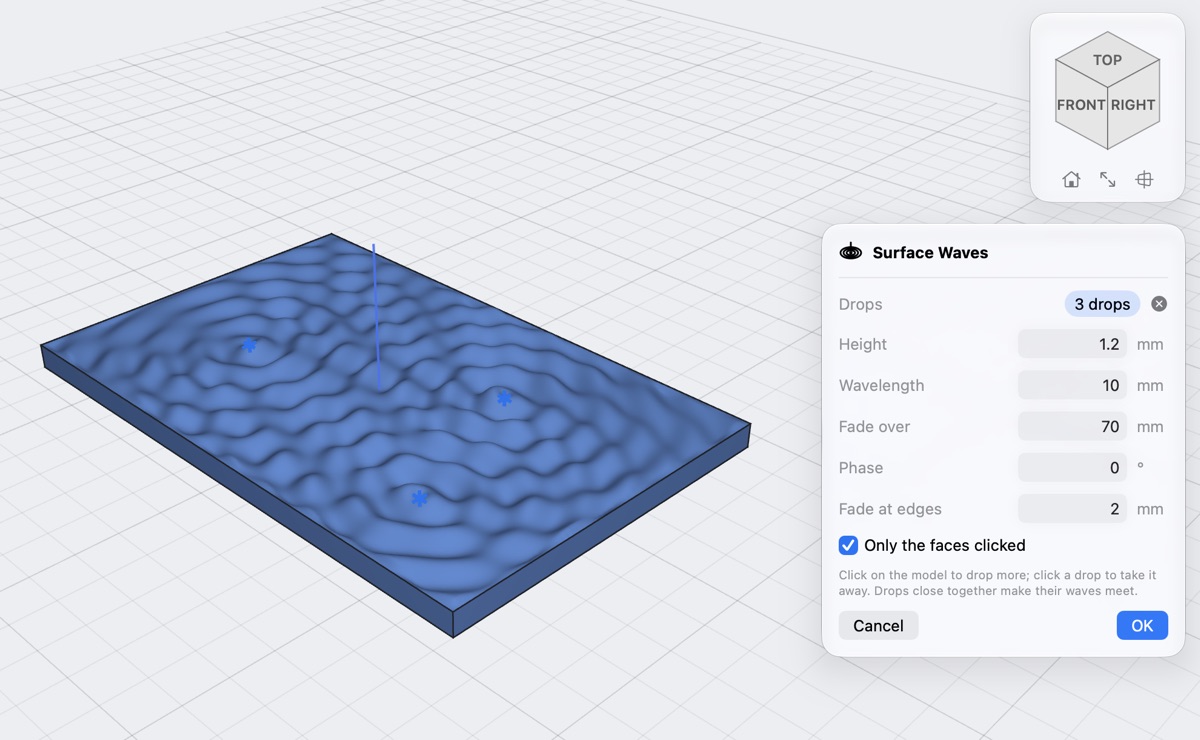
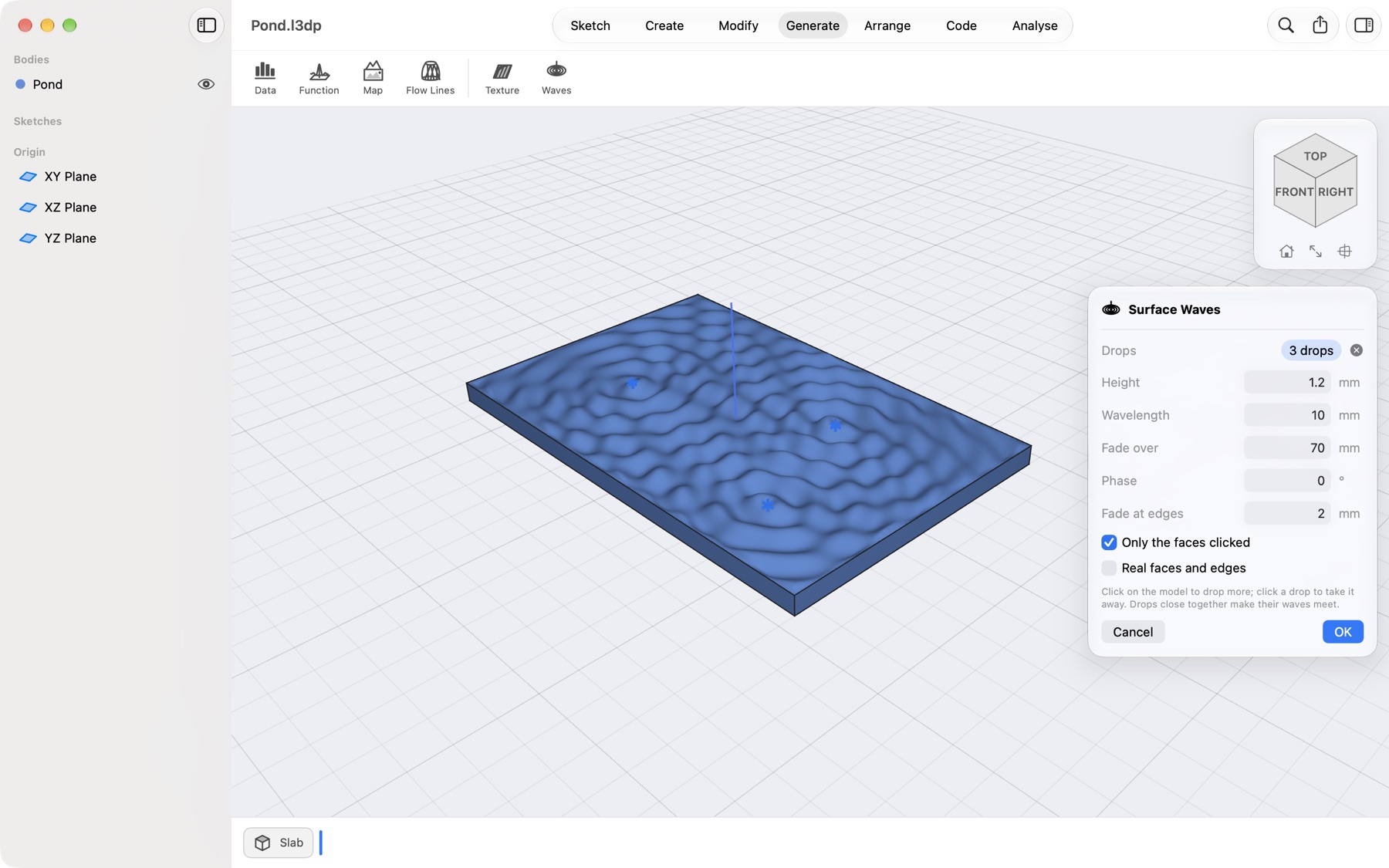
Three drops on a slab, their rings running out and meeting, with the Surface Waves dialog
Surface Waves · Pro, preview free

Drop it. Watch the rings.

Click where drops fall, on any surface: a flat top, a dome, a vase. Rings run out over the surface itself and add up where they meet, as on water.

  • Height, wavelength, how fast they fade, phase
  • The whole body, or only the faces you clicked
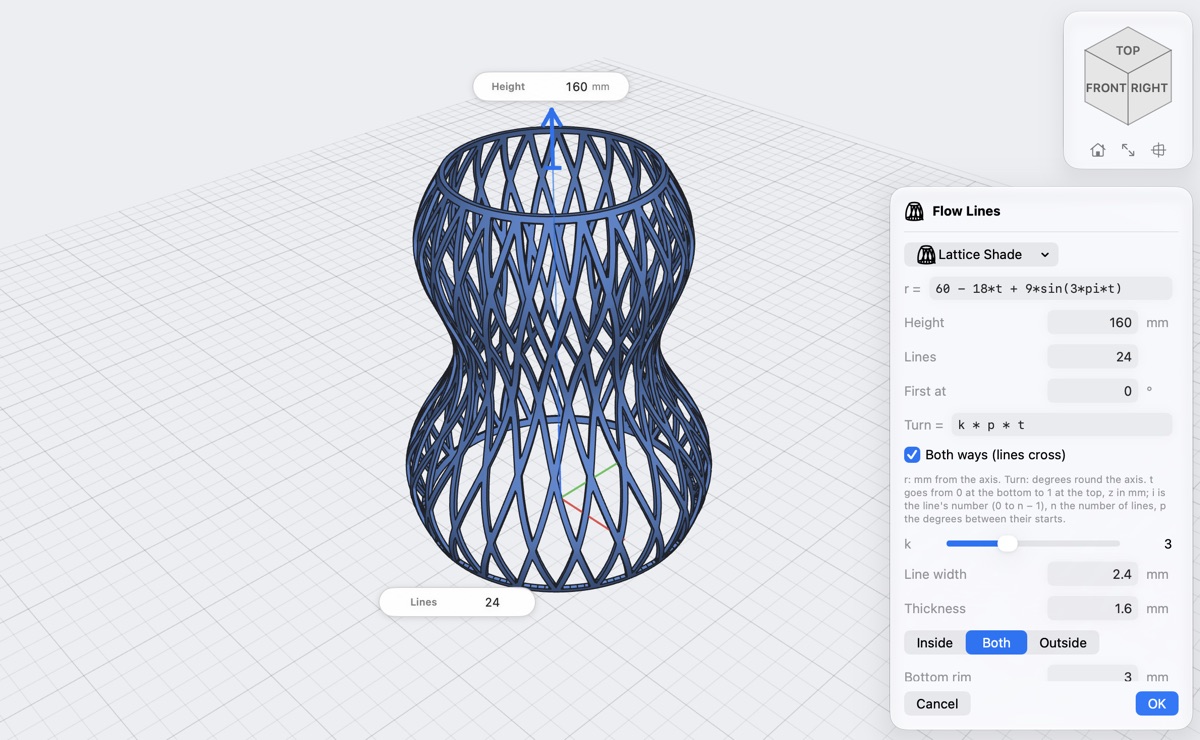
A lampshade made of 24 crossing lines over a bulging profile, with the Flow Lines dialog
Flow Lines · free

Lampshades made of lines

Give a profile turned round an axis, then say how the lines wind over it. They cross where they meet, join the rims at the bottom and top and come out as one solid, standing flat on the bed.

  • Lattice shade, twisted vase, wavy lines and braid to start from
  • Your own formula for the shape and for every line's path
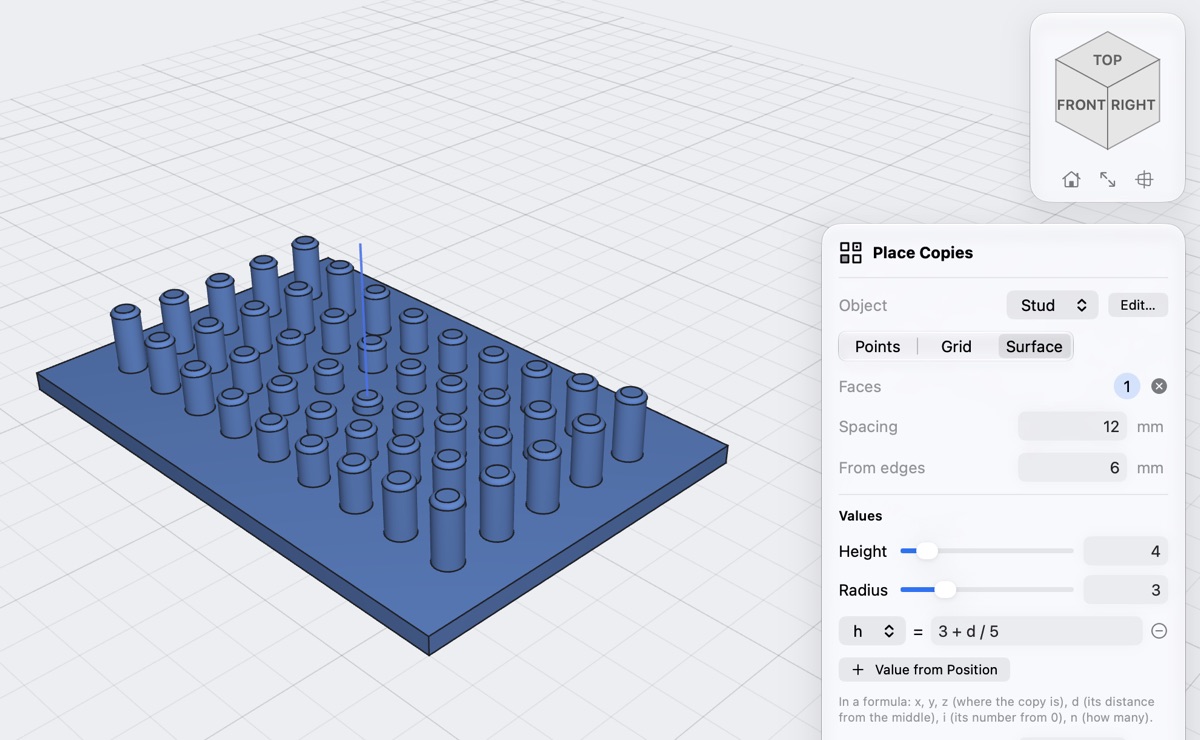
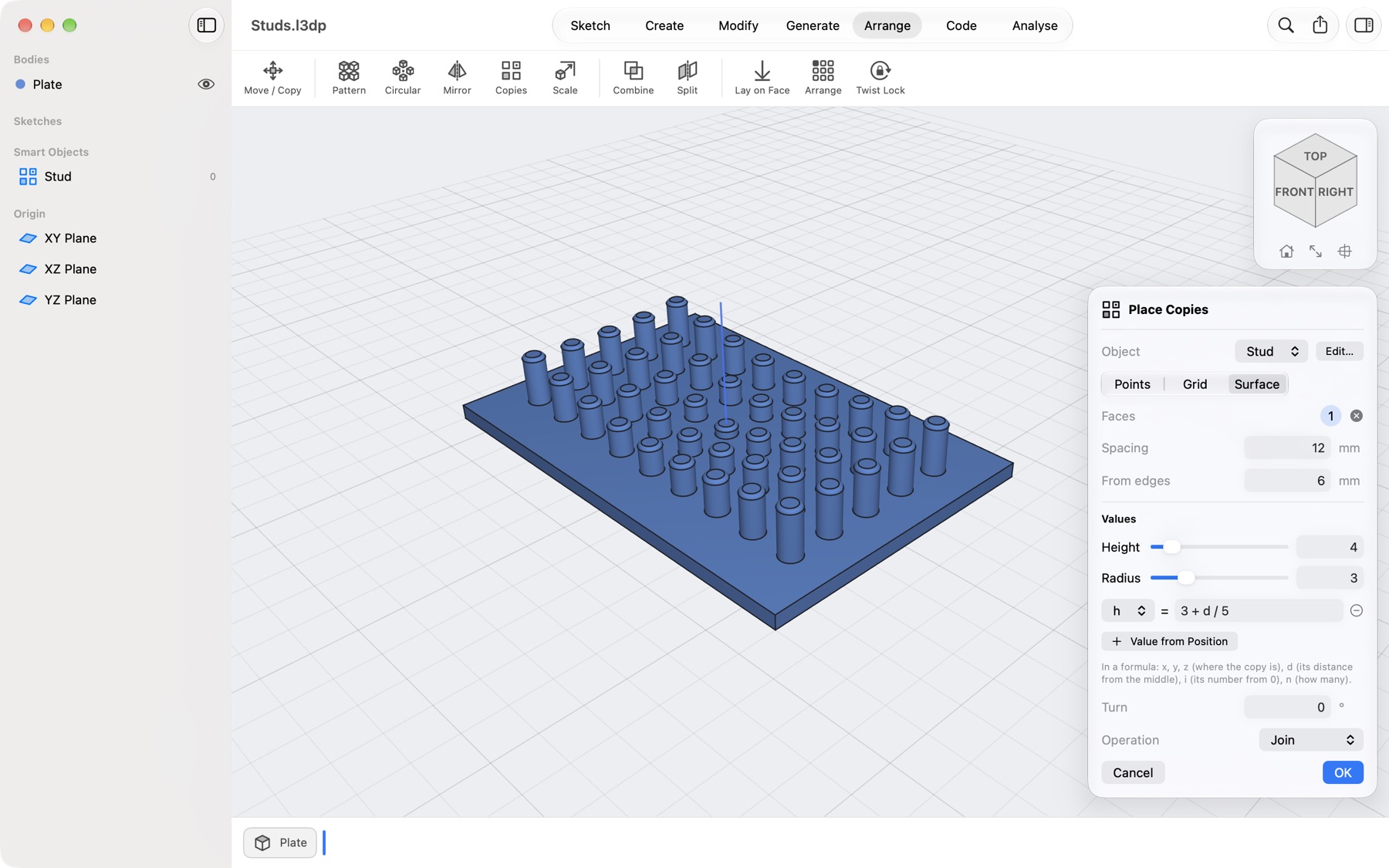
Studs spread over a plate, taller towards the edge, with the Place Copies dialog and a formula
Smart objects

Design once, place everywhere

Make a part a smart object and place copies at points, in a grid or spread over a face, each standing on it. A formula can size each copy by where it is. Change the object once and every copy follows.

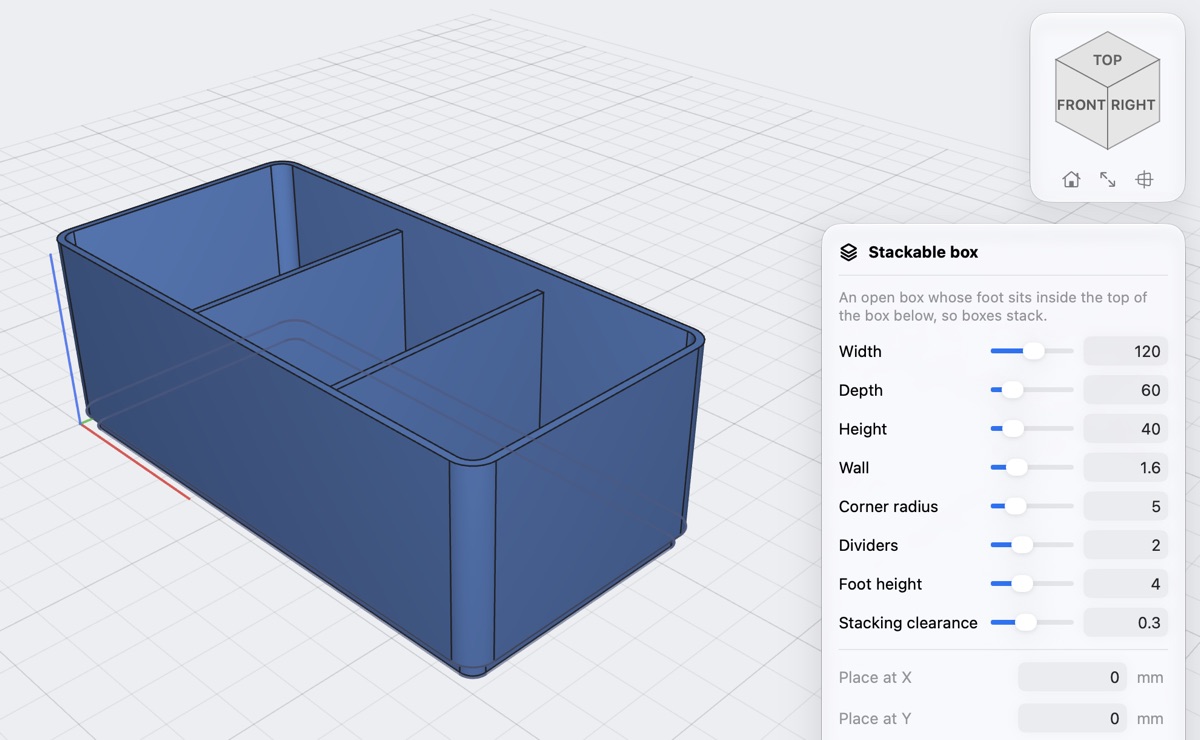
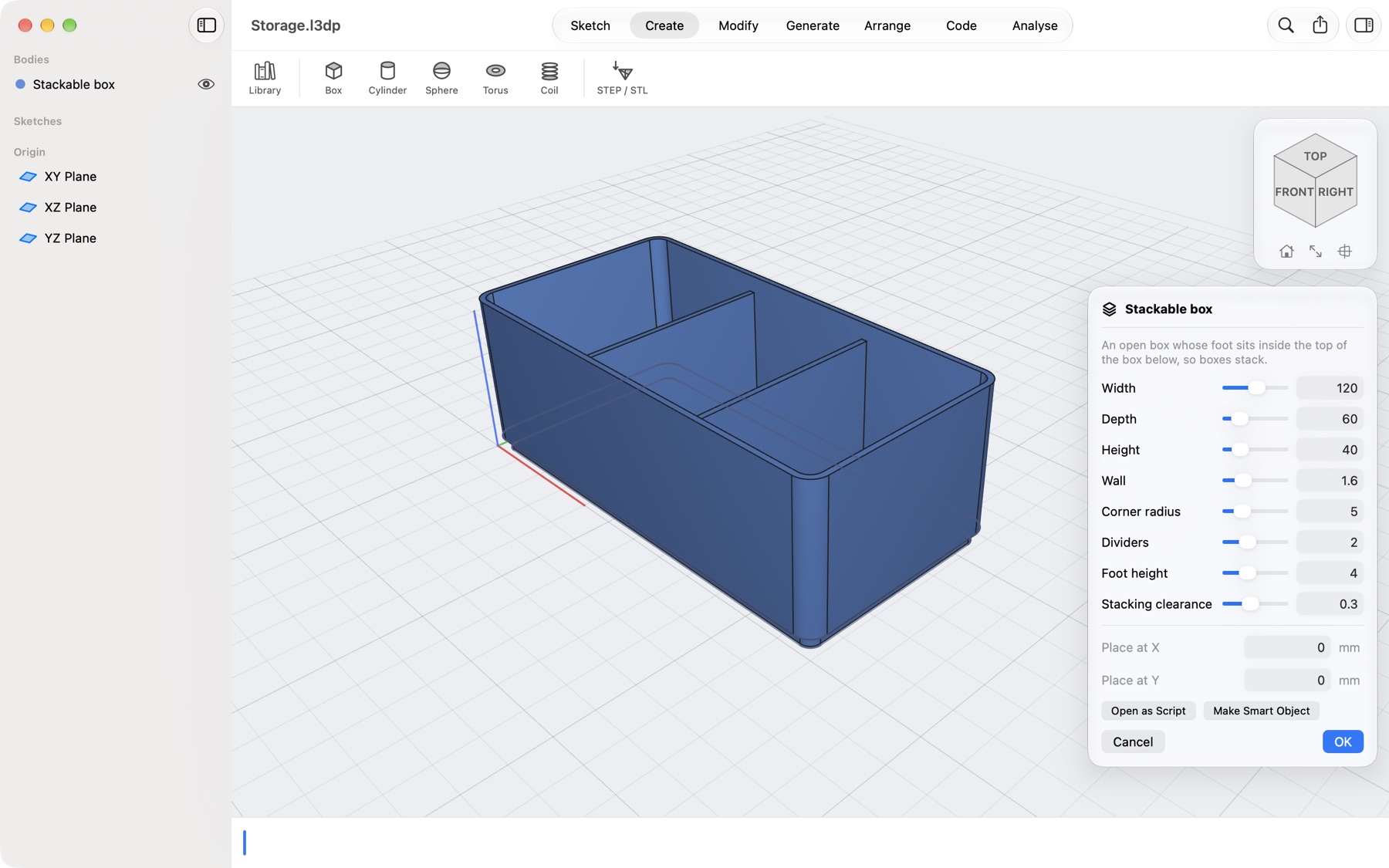
A stackable box with two dividers from the parts library, its values as sliders
Parts library · free

Ready-made, still yours to change

Stackable boxes, drawer trays, Gridfinity-compatible bins and baseplates, a screw-top jar, a board enclosure, gears, knobs, hooks. Set the values, press OK: the part arrives as ordinary steps.

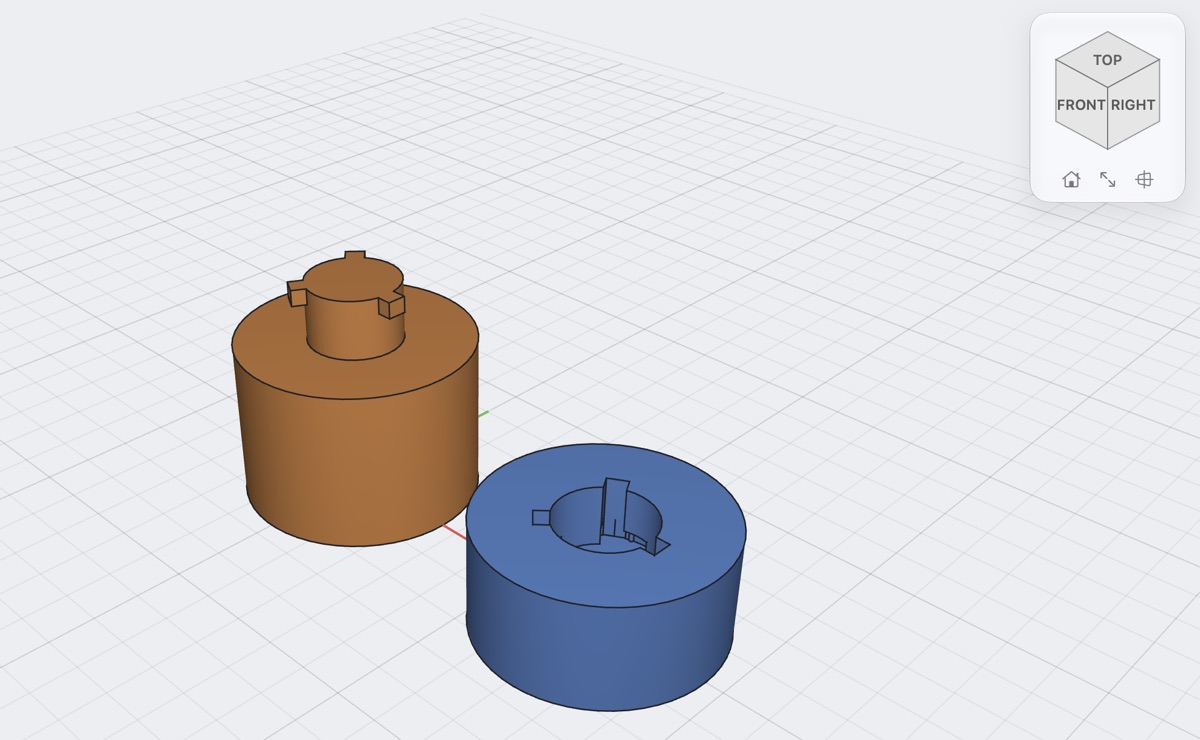
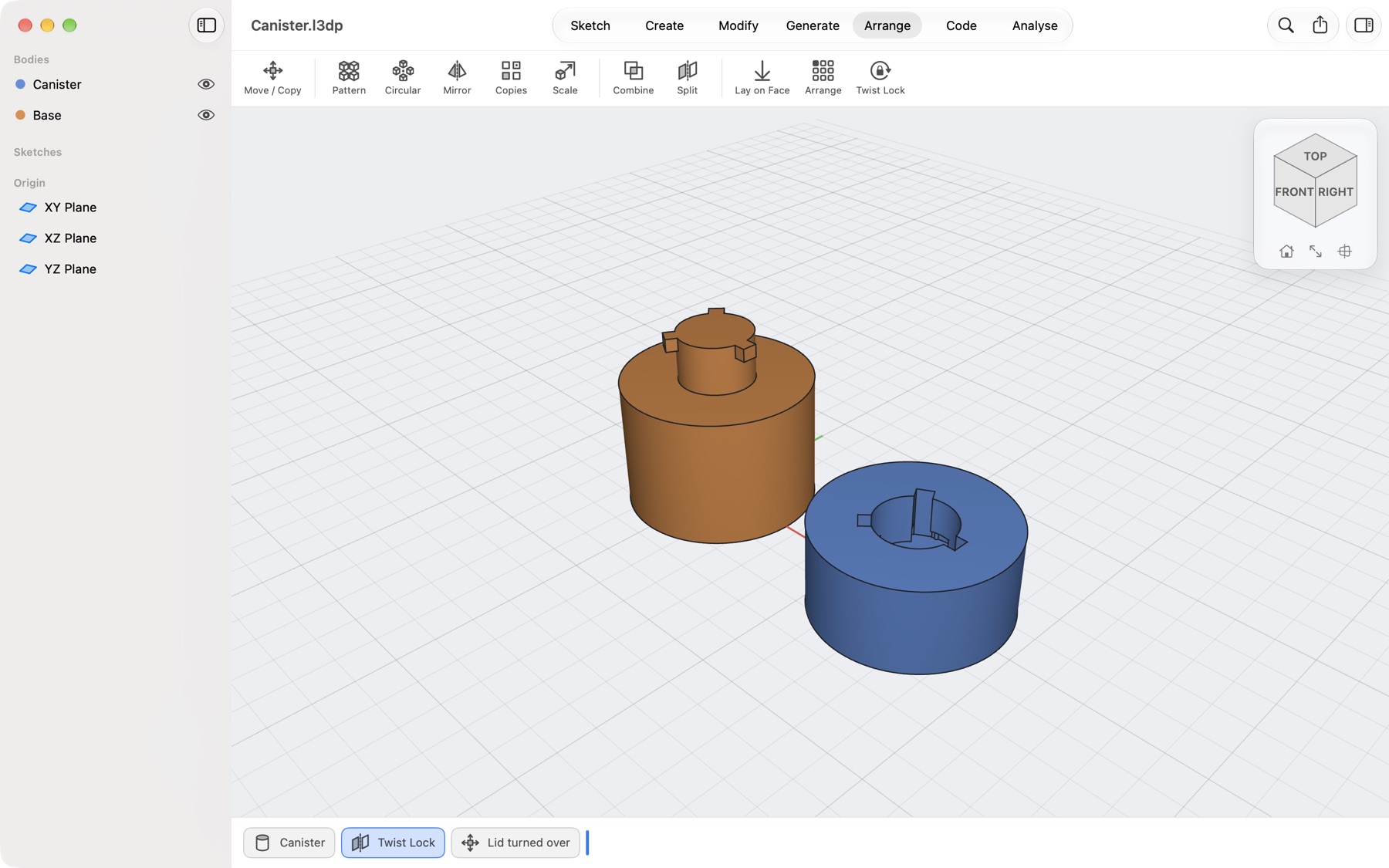
A canister split with a twist lock: the base with a boss and three lugs, and the lid turned over to show its socket
Twist lock

Push, turn, click

Split a part with a plane and join it again with a bayonet: a boss with lugs on one side, a socket with slots and a groove on the other, a small bump so it clicks shut. One way round only, if you like.

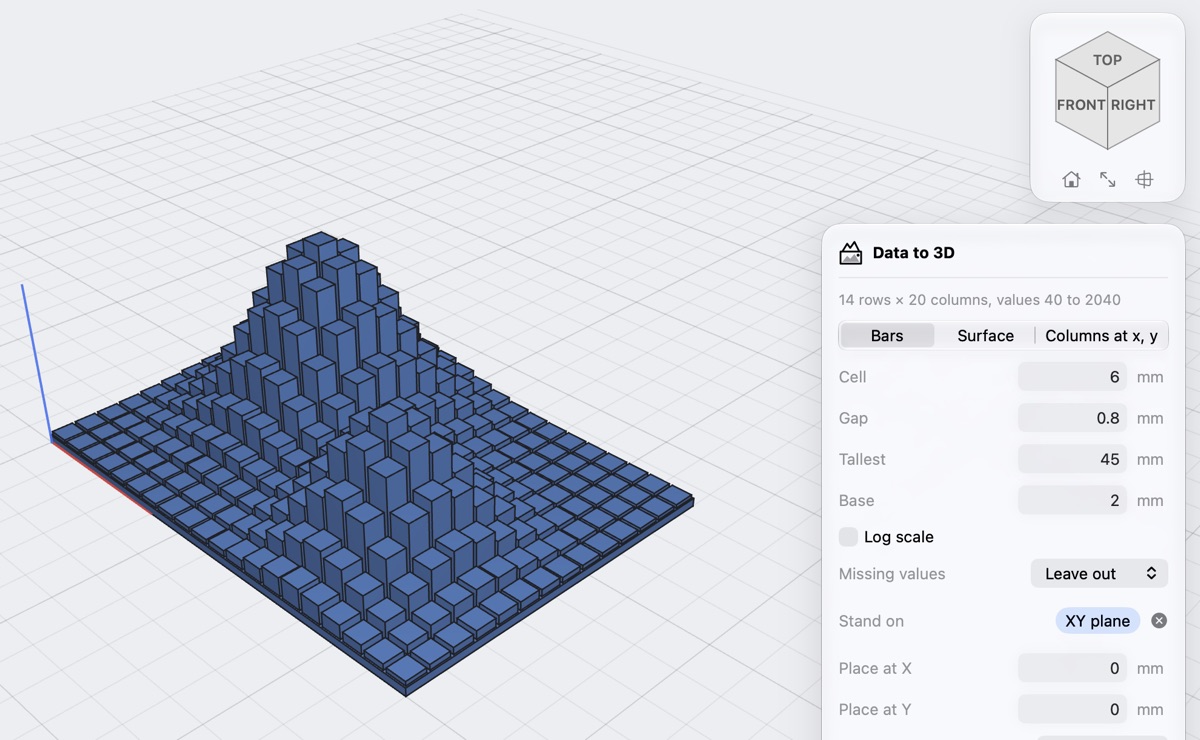
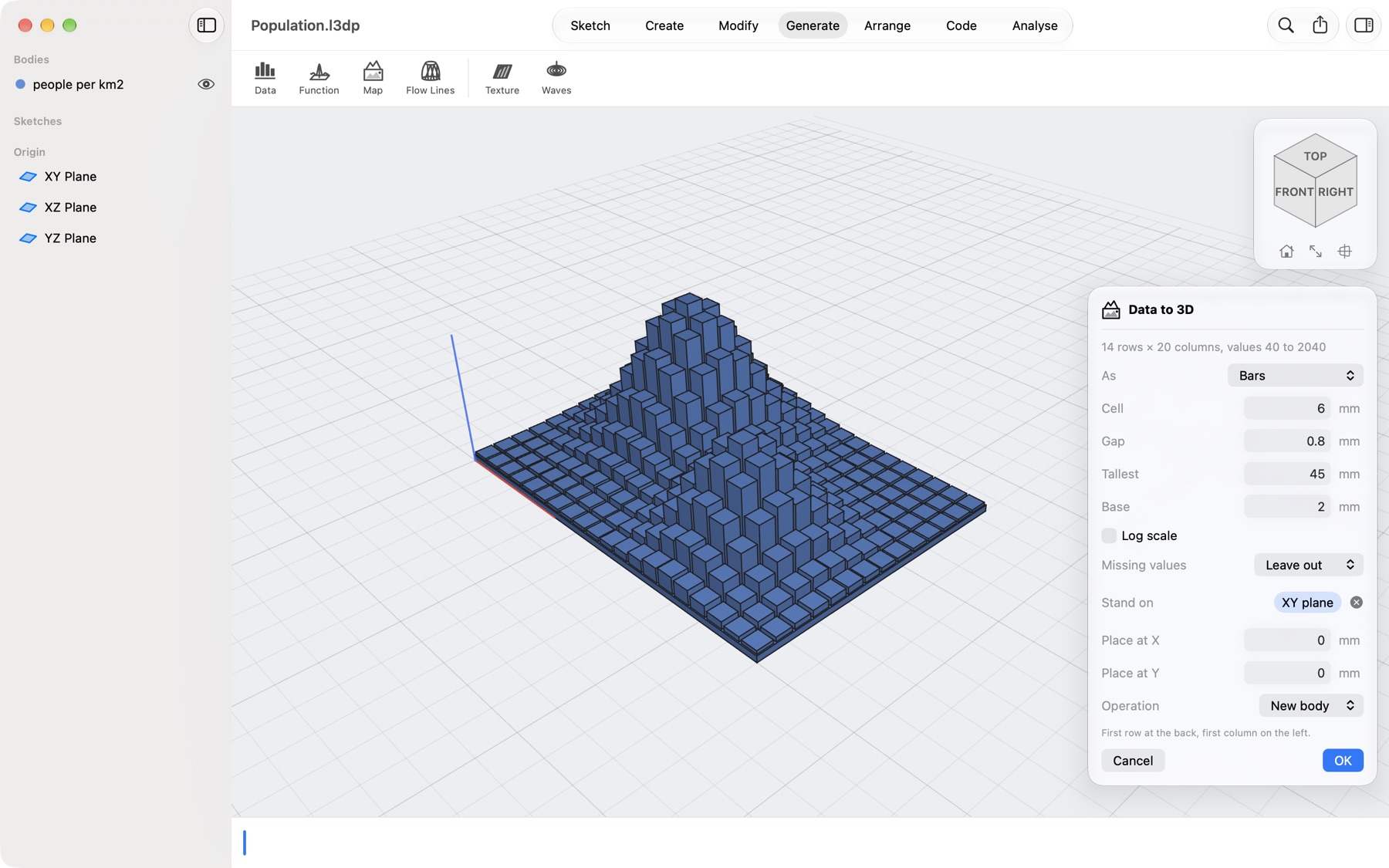
A table of people per square kilometre made into bars on a plinth, with the Data to 3D dialog
Data to 3D

Your spreadsheet, in 3D

Open a CSV of numbers: get bars, a smooth surface or columns at x and y, on a plinth, ready to print. Headers, row labels and decimal commas are understood.

Print Check marking a fin too thin for a 0.4 mm nozzle and a gap too narrow
Print Check · Pro

Checked against your nozzle

Walls too thin for your nozzle and gaps that would close or fuse are marked on the model while you design, worst first. Textures and waves are checked too.

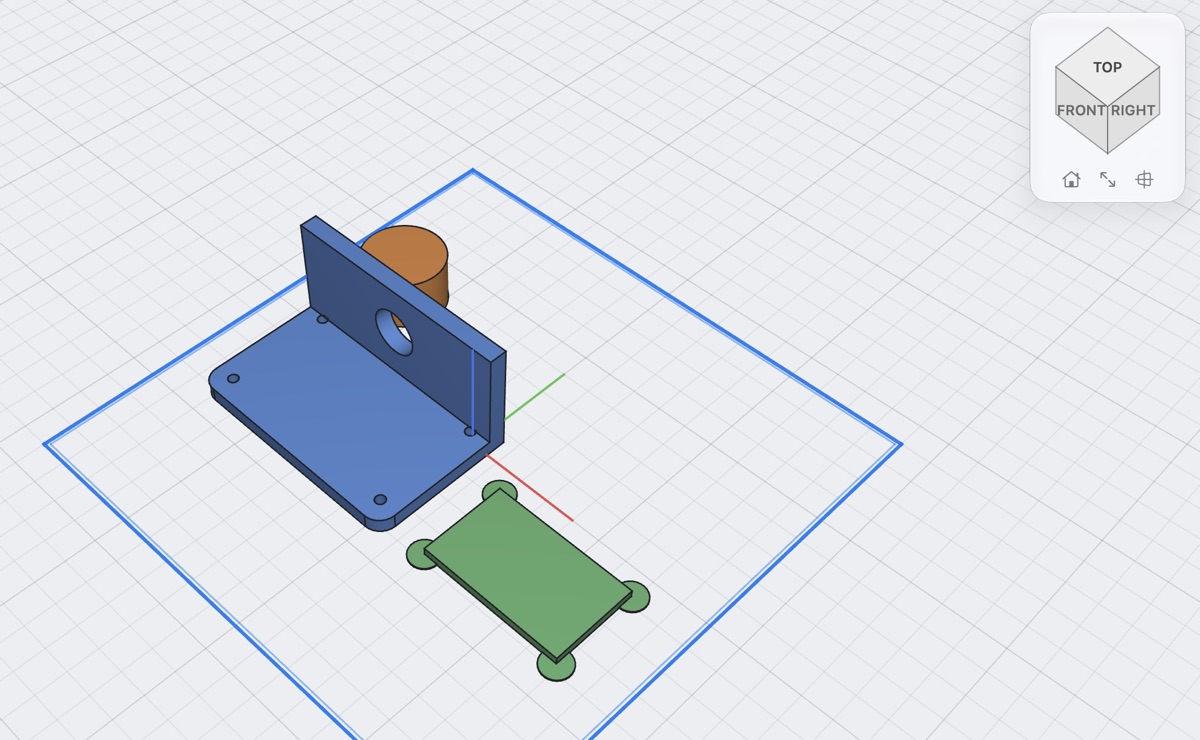
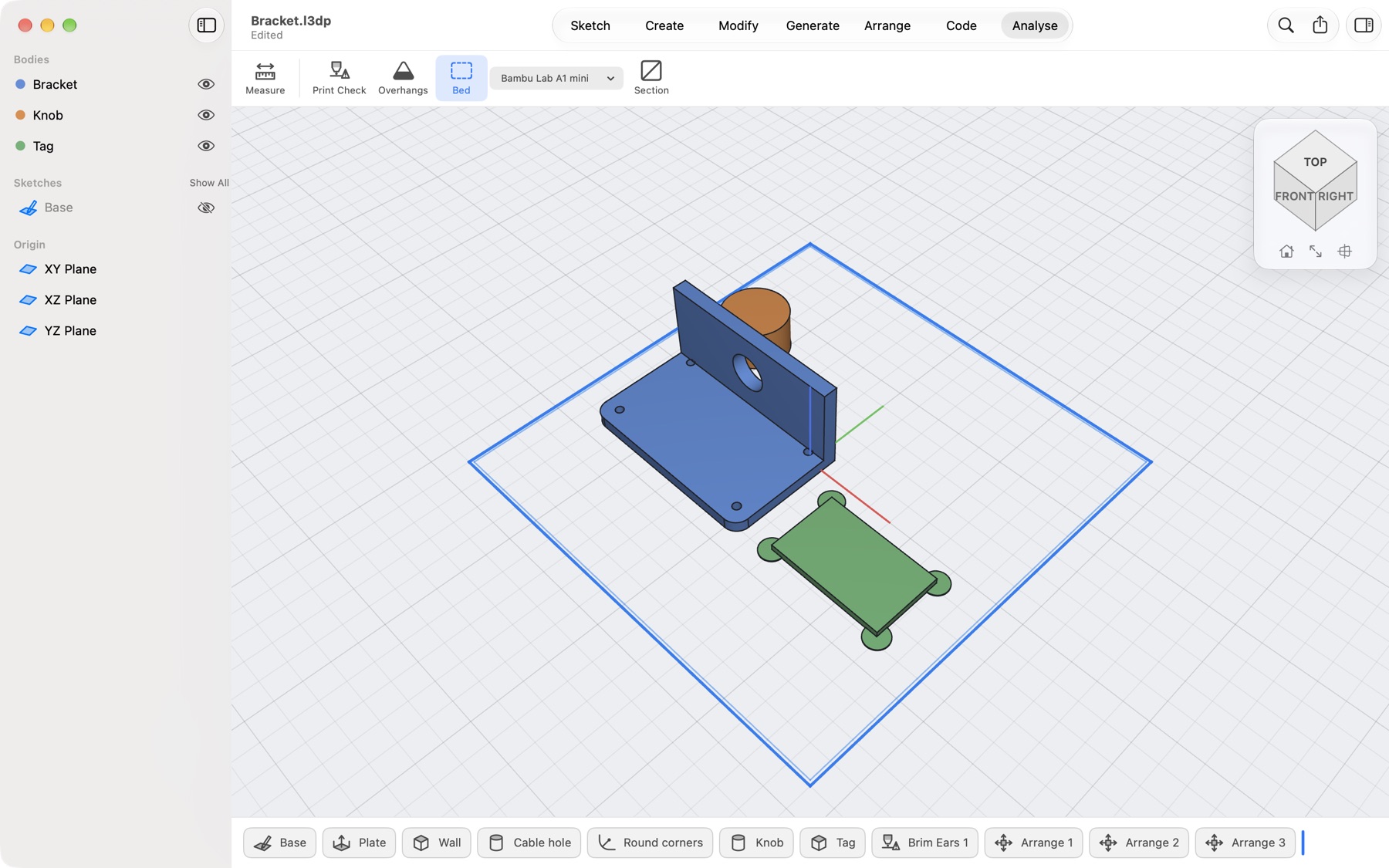
A bracket, a knob and a tag with brim ears arranged on the outline of a printer's bed
Ready for the bed

Slicer jobs, done in the design

Lay a part on any face, arrange everything on your printer's bed, add brim ears to sharp corners, chamfer the edges on the bed, give sideways holes a teardrop top and counterbores a bridge layer.

Tour · Bracket.l3dp

From a sketch to a part you can print

Follow one mounting bracket from its first line to the file for your slicer. Every tool works the same way: pick, drag or type, watch the preview, press OK. Each step lands in the timeline at the bottom, where you can open and change it later.

Pick · drag · OK 40/2+3 ↵
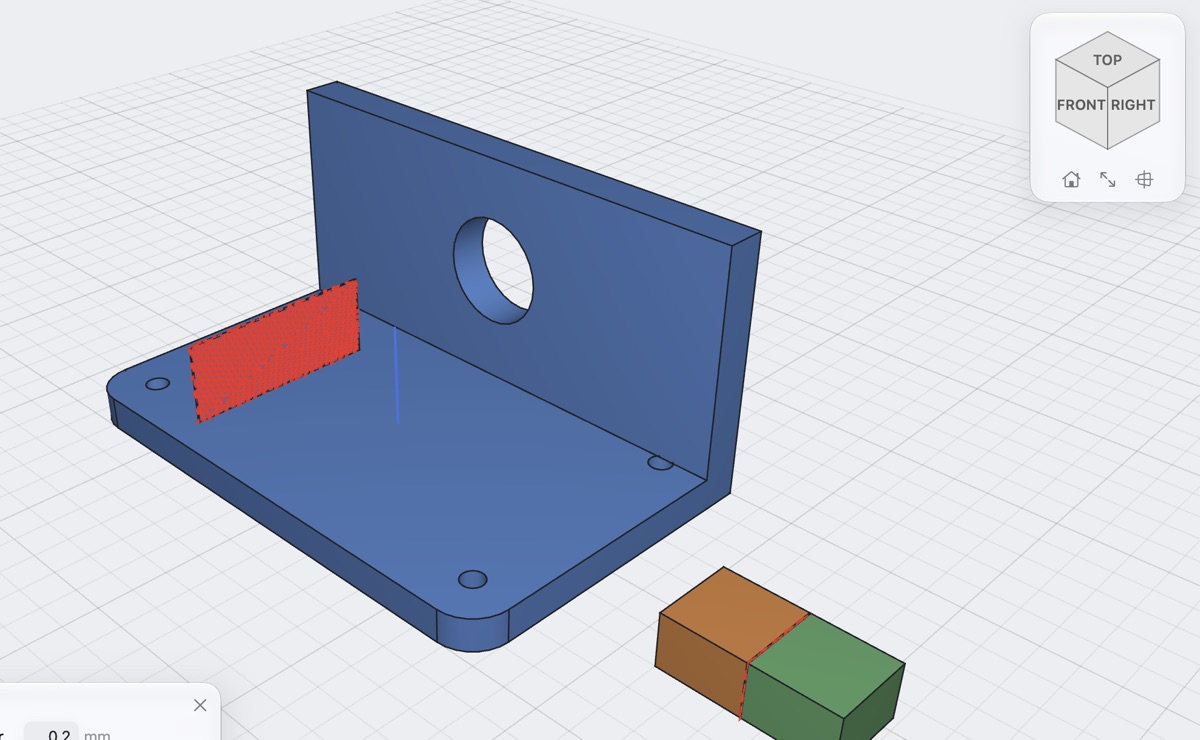
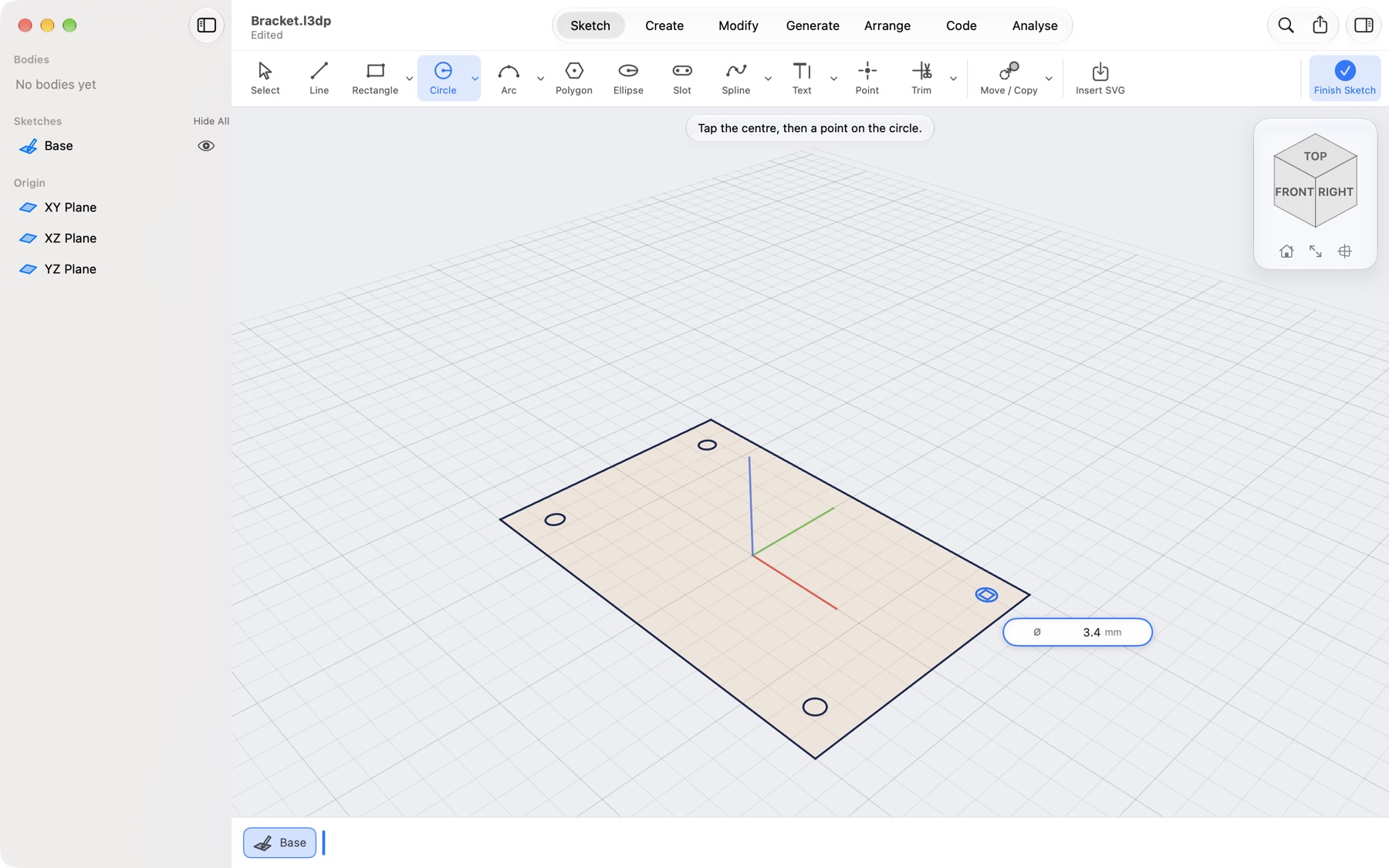
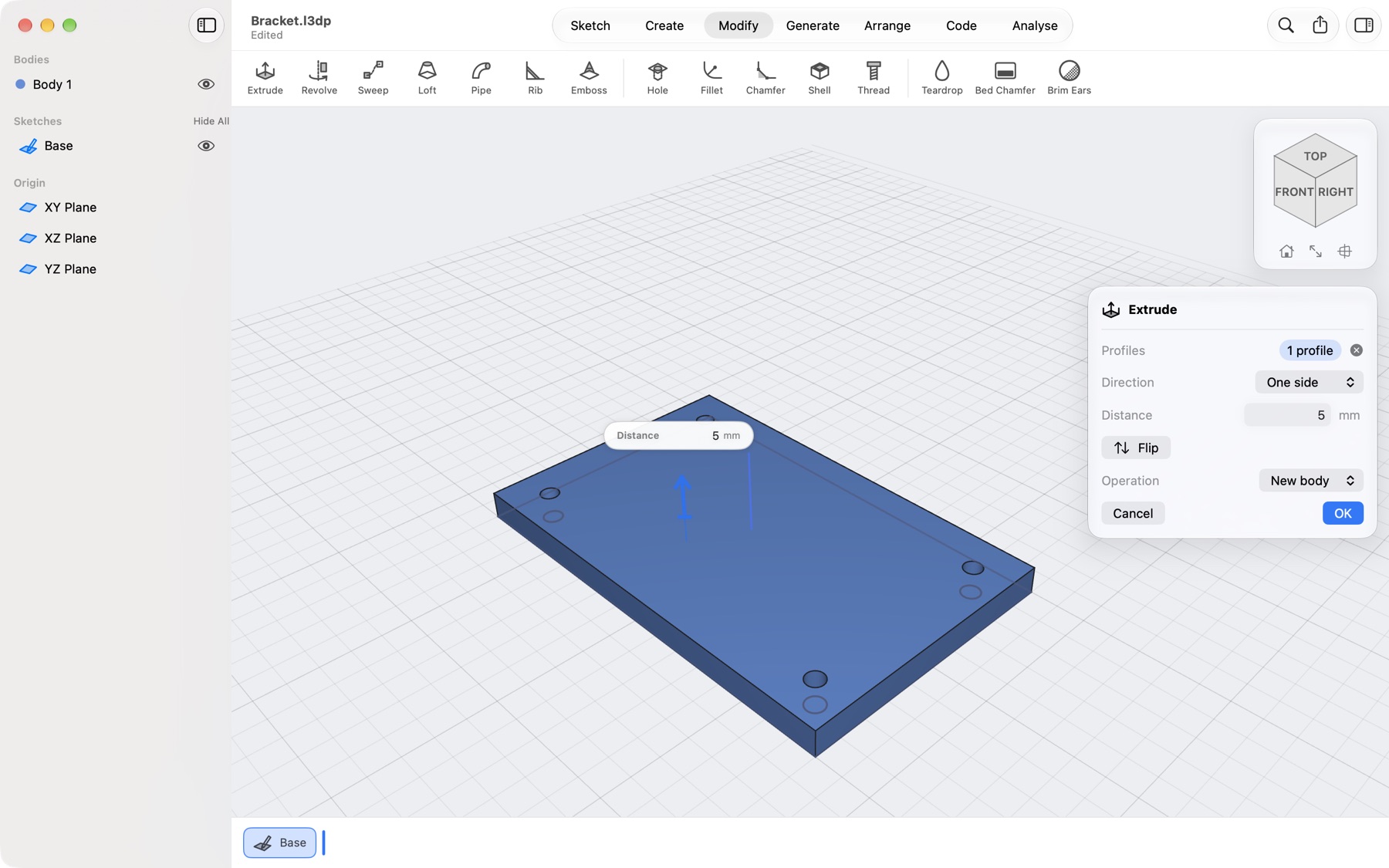
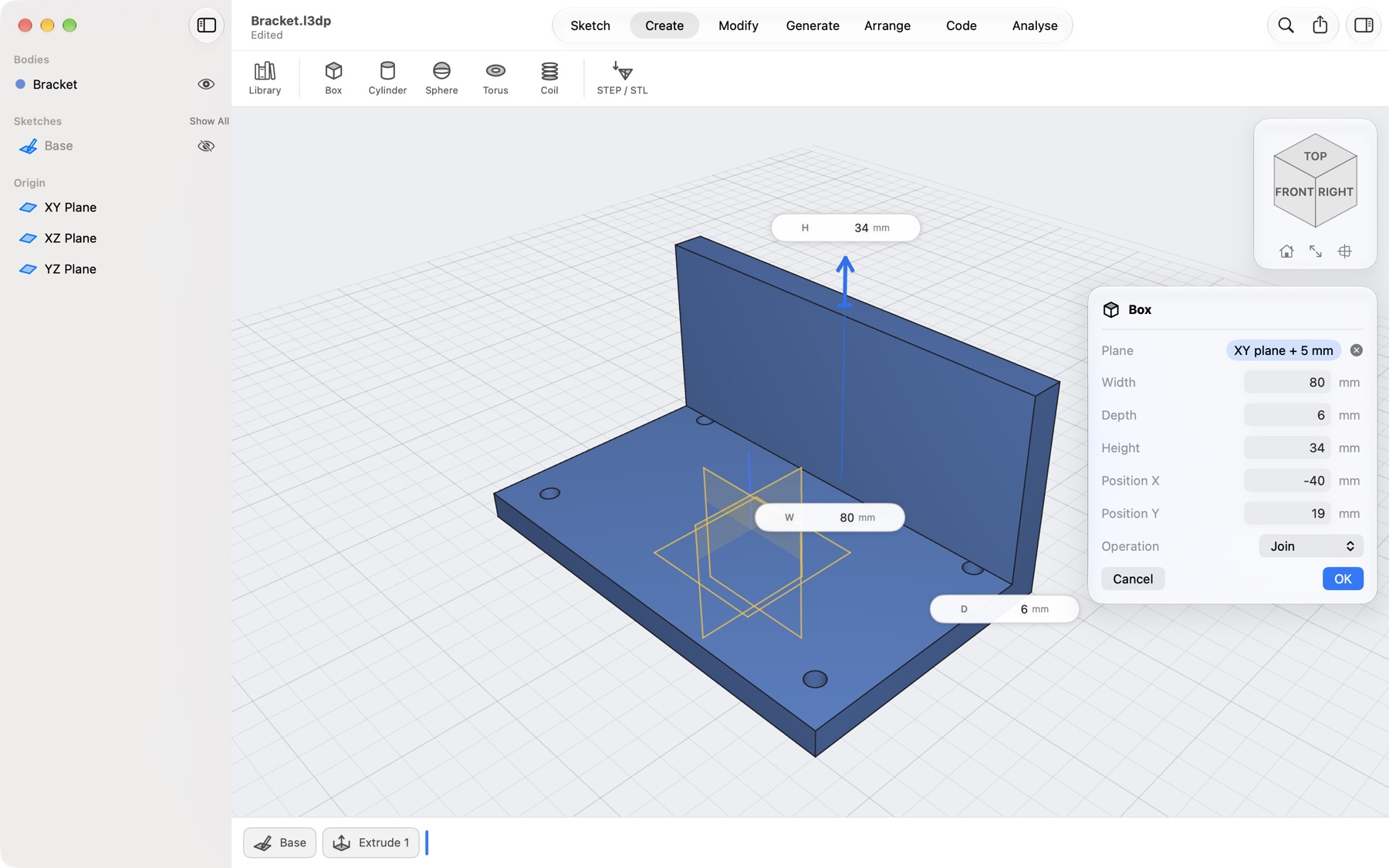
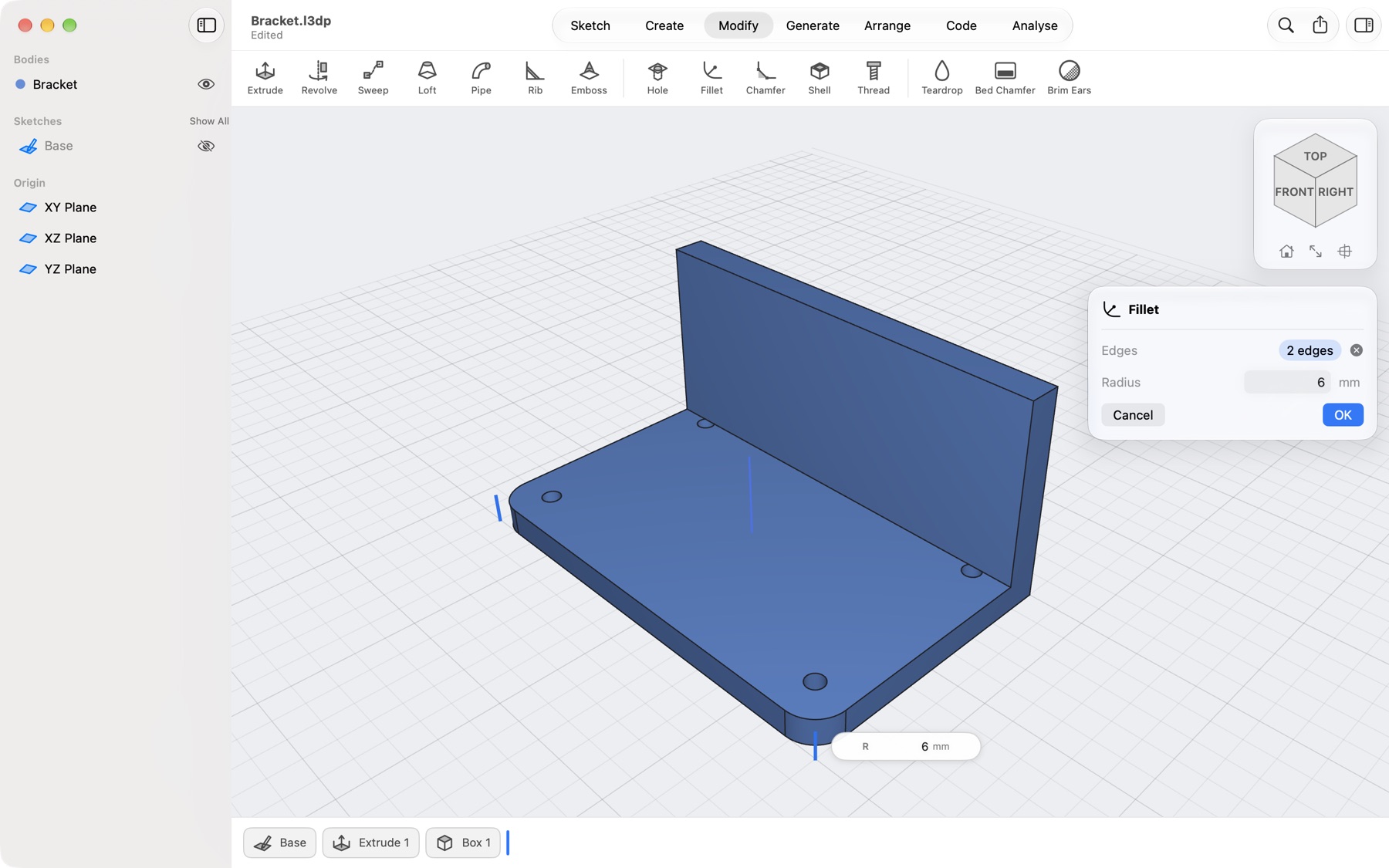
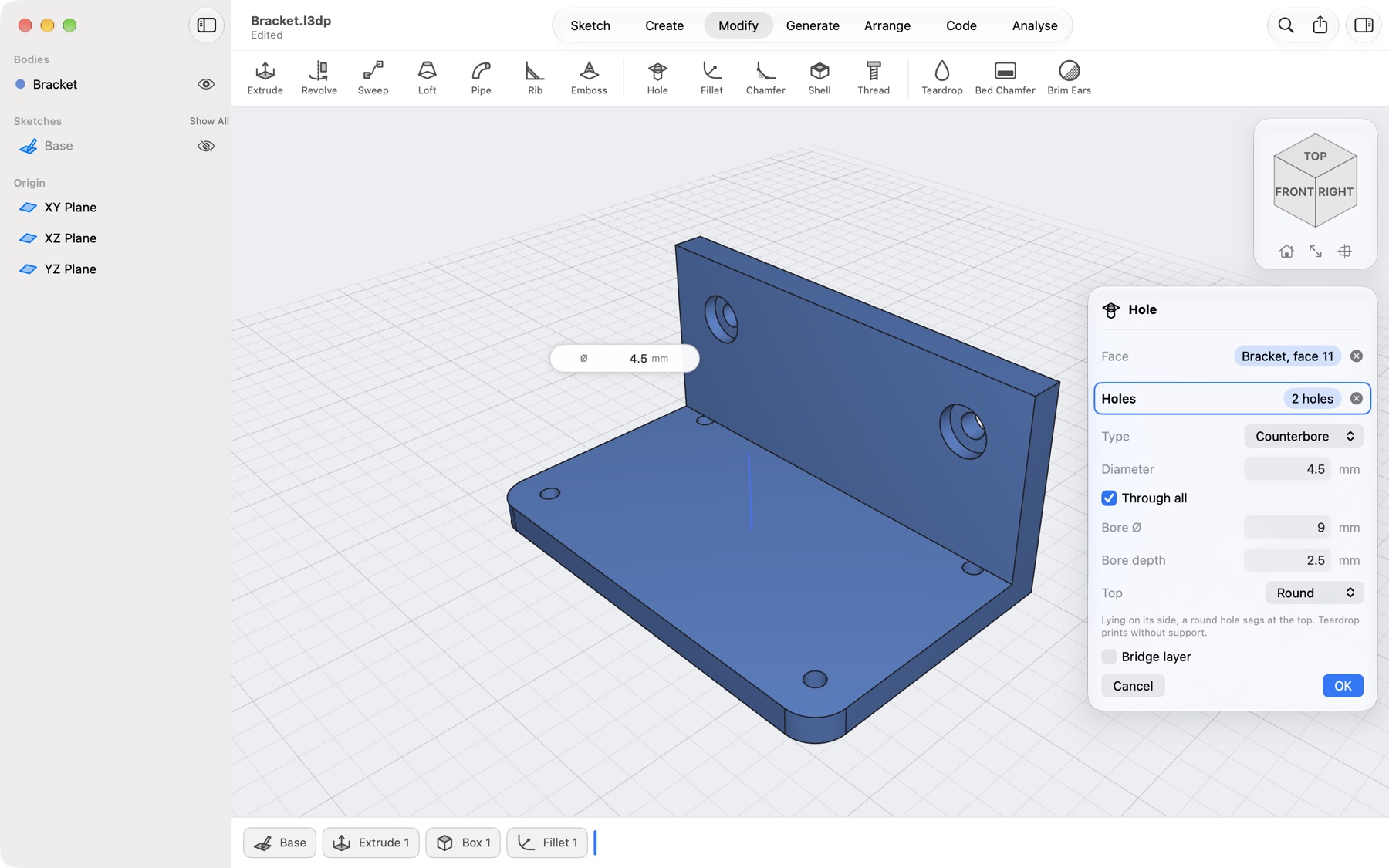
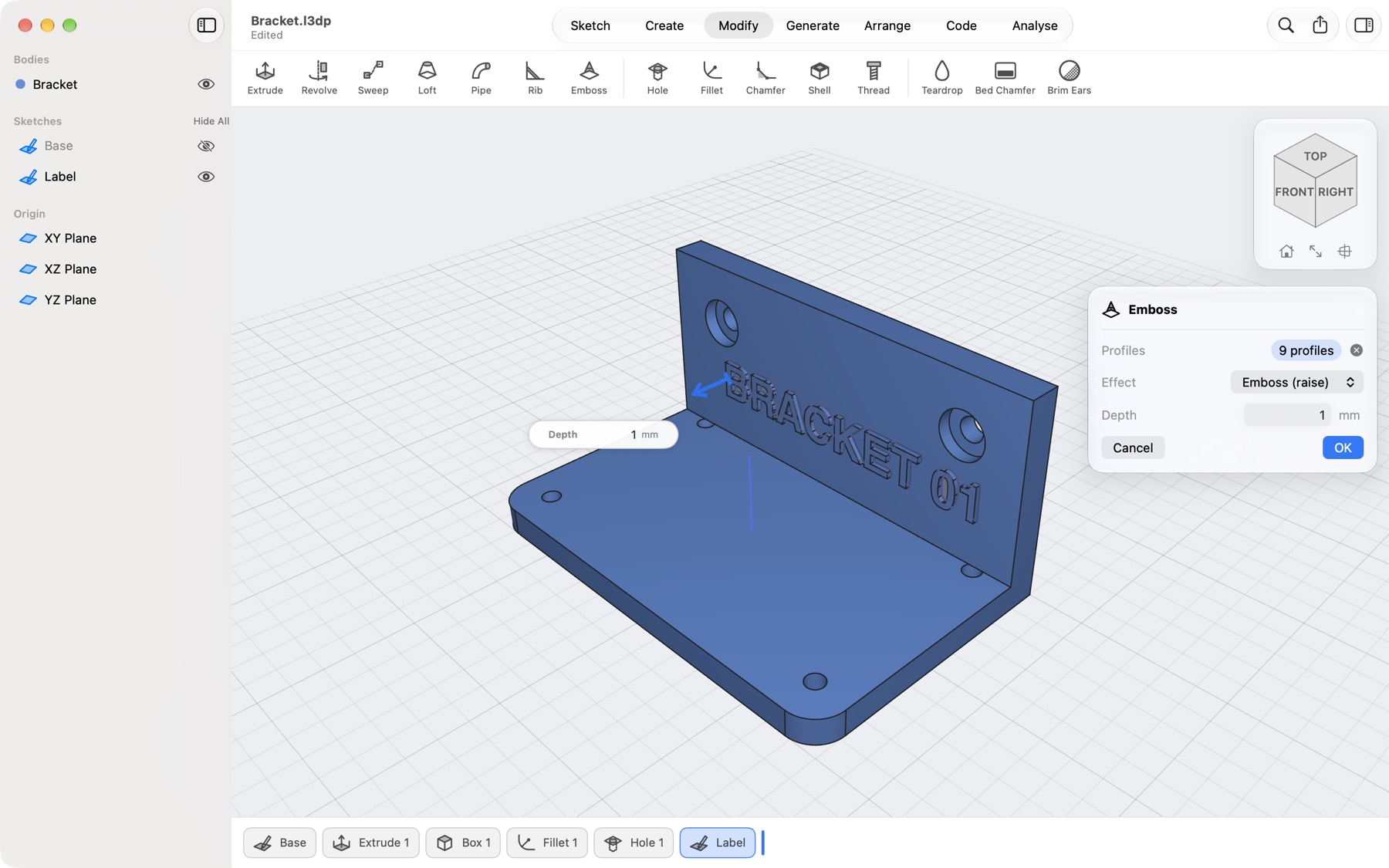
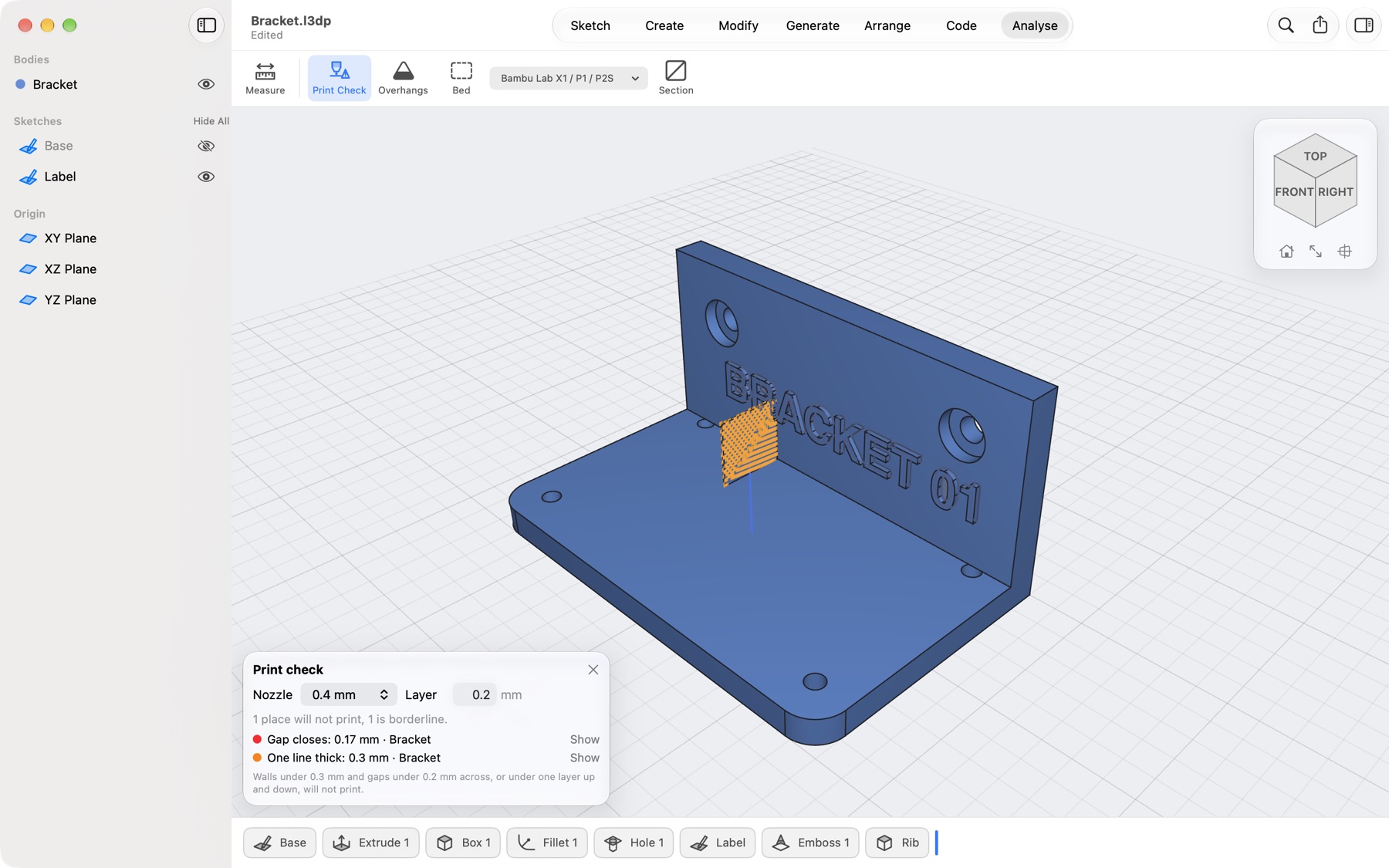
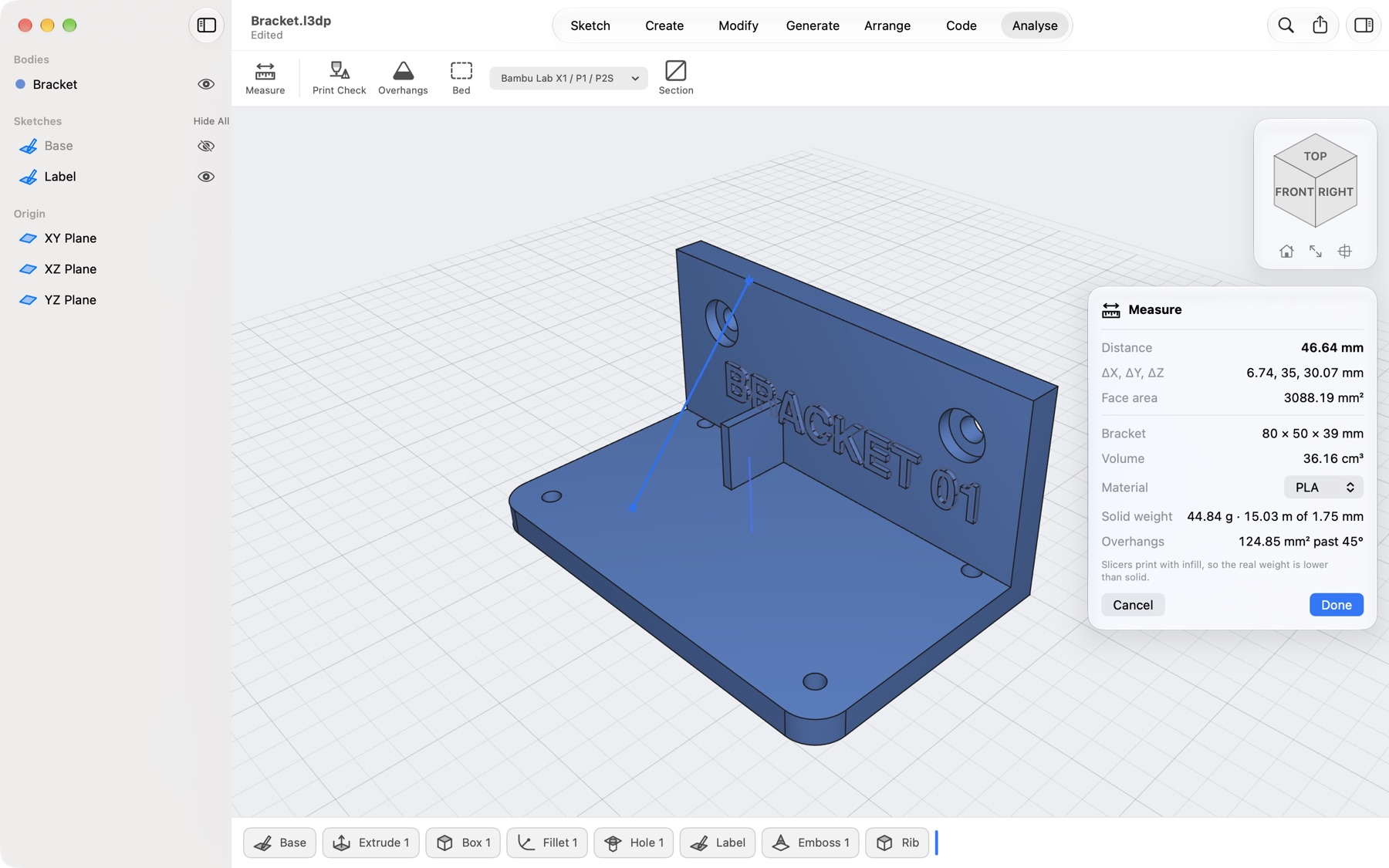
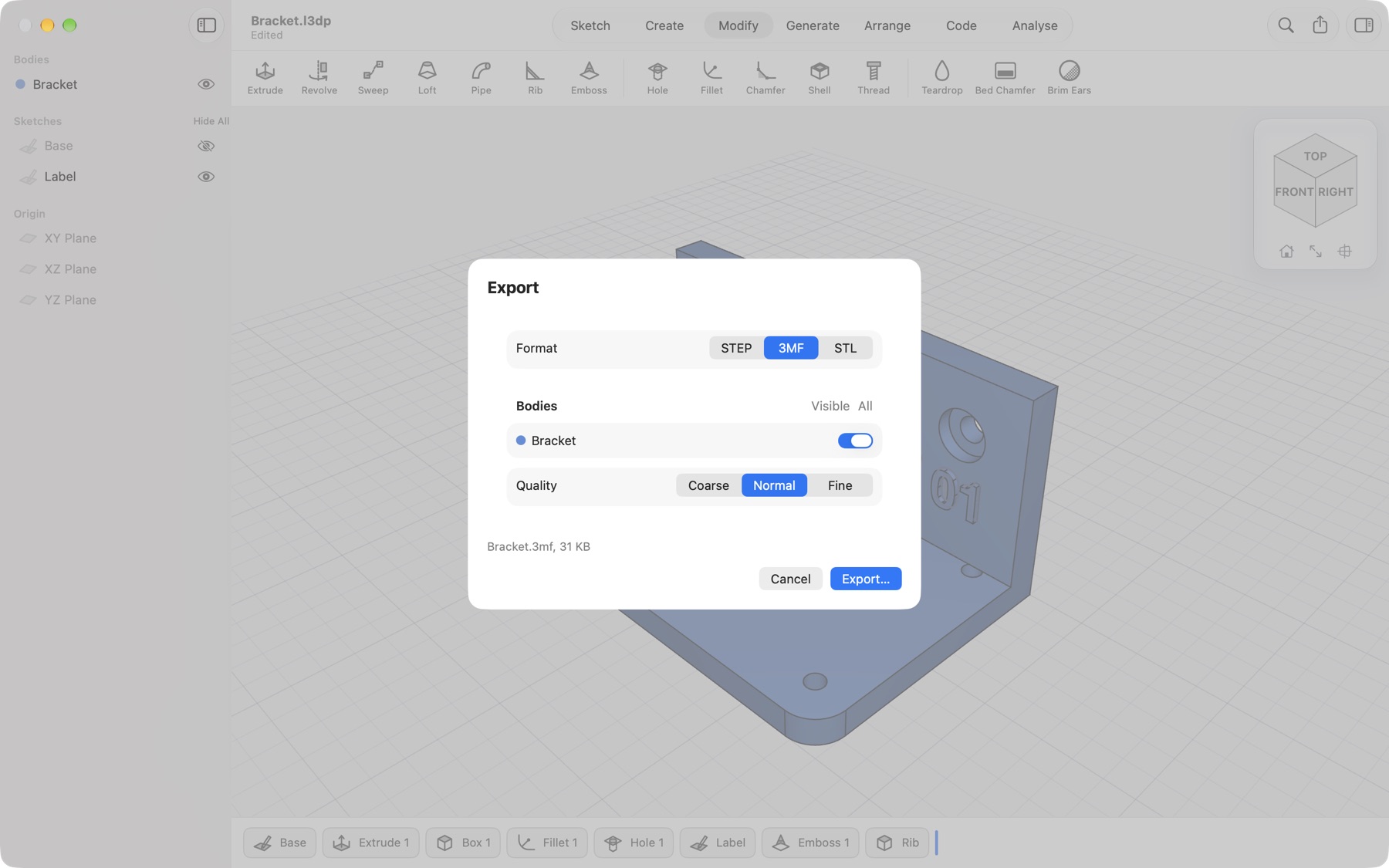
Drawing the base sketch on the XY plane: a rectangle with screw holes, the last circle being sized with a 3.4 mm box beside the cursor Extruding the plate 5 mm, the screw holes left out, with the distance box at the arrow and the Extrude dialog A box 80 by 6 by 34 mm joined onto the plate as an upright wall, with arrows and boxes for its size Filleting the two outer corners of the plate with a 6 mm radius Two counterbored holes placed on the wall, with the Hole dialog and a 4.5 mm diameter box The text BRACKET 01 embossed 1 mm out of the wall Print Check marking a 0.3 mm rib in orange, with the list of places too fine for a 0.4 mm nozzle Measuring from the plate to the top of the wall: 44.69 mm, with the bracket's size, volume and weight in PLA The Export dialog over the bracket, with 3MF chosen, the body ticked and the file size
Sketch

Type exact sizes while you draw

Start on a plane and draw. Length, width and diameter appear next to the cursor: type a value and it locks. Sums like 40/2+3 work too.

  • Lines, rectangles, circles, arcs, slots, splines and text
  • Trim, round corners and offset in the sketch
Extrude

Pick profiles. Drag. Done.

Overlapping shapes split into separate profiles on their own. Click the plate and the screw holes stay holes; drag the arrow or type 5 in the box beside it.

  • Join, Cut, Intersect or New body, chosen for you
  • Push and pull a flat face of the part, too
Shapes

Shapes in one click

A box for the wall, sized with arrows and boxes right on the shape, and joined to the plate. Cylinders, spheres, tori and coils work the same way.

Fillet

Round off the edges that matter

Pick edges, set the radius in the box on the edge, and see the fillet before you commit. Chamfers work the same way, for first layers that print cleaner.

Hole

Holes where you click

Pick a flat face and click where the holes go; click a hole again to remove it. The diameter sits in a box beside it.

  • Simple, counterbore or countersink, for screws that sit flush
  • Through all, or to a depth with a drill point
Emboss

Text and logos, raised or sunk

Type a label in a printable font, straight or along a curve, or insert an SVG sized to the millimetre. Emboss it out of the face or deboss it in, curved faces too.

Print Check · Pro

Catch it before the slicer does

Choose your nozzle and layer height. A support rib only 0.3 mm thick lights up, with every place listed, worst first. Change the part and the check runs again.

  • Walls thinner than the nozzle can lay down
  • Slots and clearances that close up or may fuse
  • ⌥⌘P or Analyse → Print Check
Measure

Measure, weigh, check overhangs

The rib is 2 mm now. Click two places for the distance and see the part's size, volume and weight in your filament, with overhangs past your angle.

  • PLA, PETG, ABS, ASA, TPU and nylon, with filament length
  • A section view to look inside the part
Export · Pro

Exactly the files your slicer wants

Choose STEP, 3MF or STL, tick the bodies, and save one file or one per body. For meshes, pick how finely curves are cut and see the file size before you save.

  • 3MF keeps each body as its own coloured object
  • File → Export (⇧⌘E), the toolbar or the body list

Tour · Cable comb.l3dp

Your timeline as a script

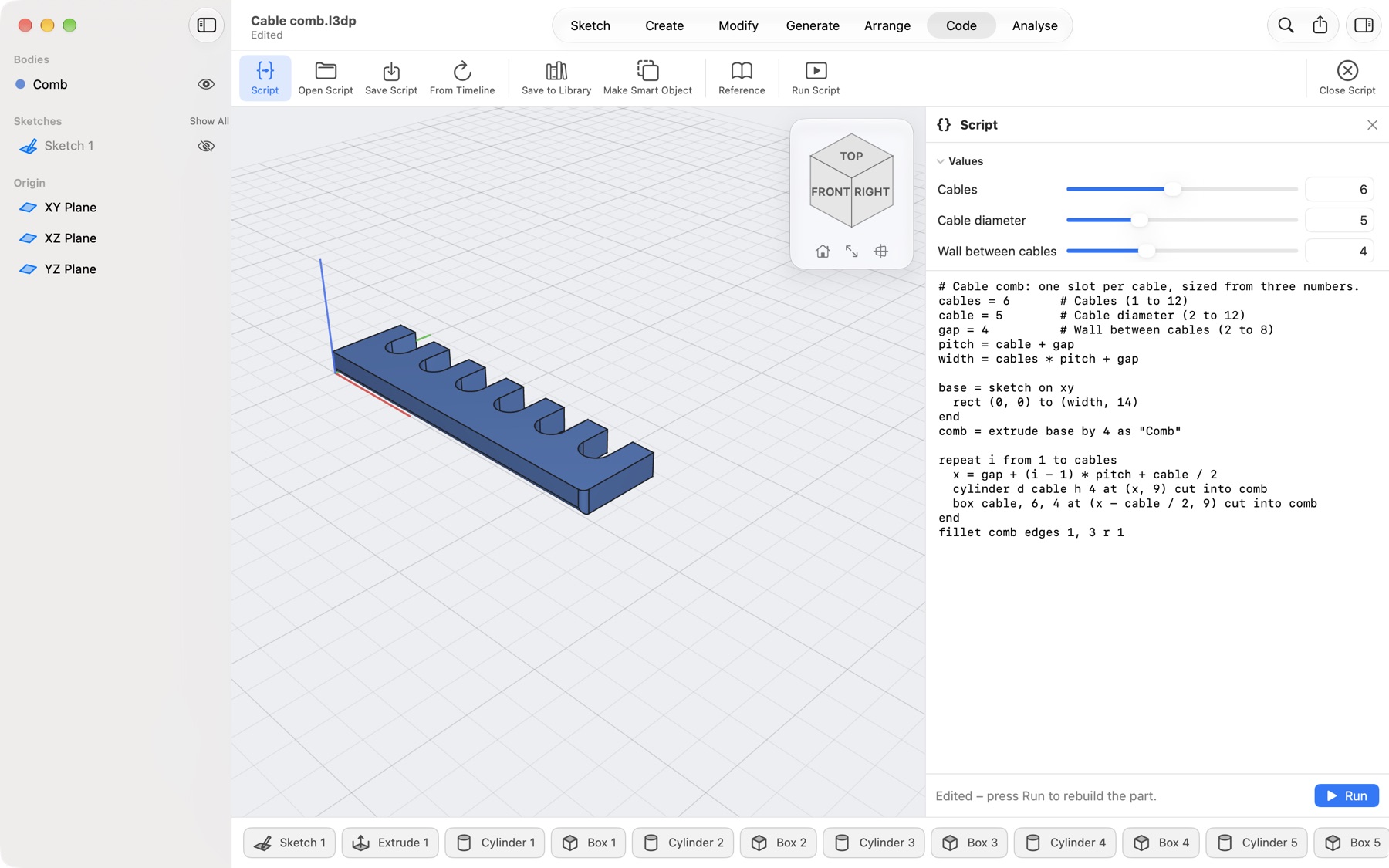
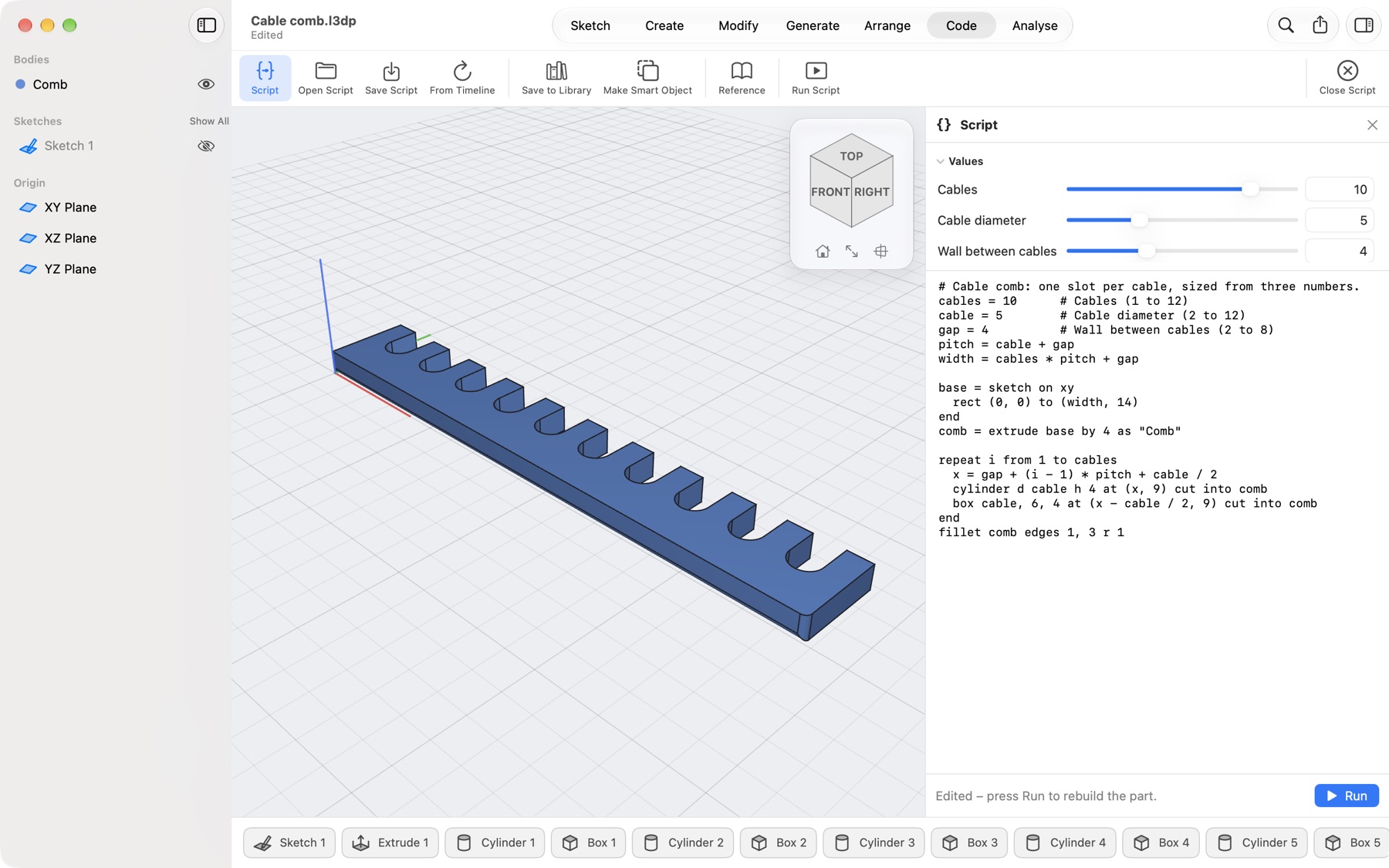
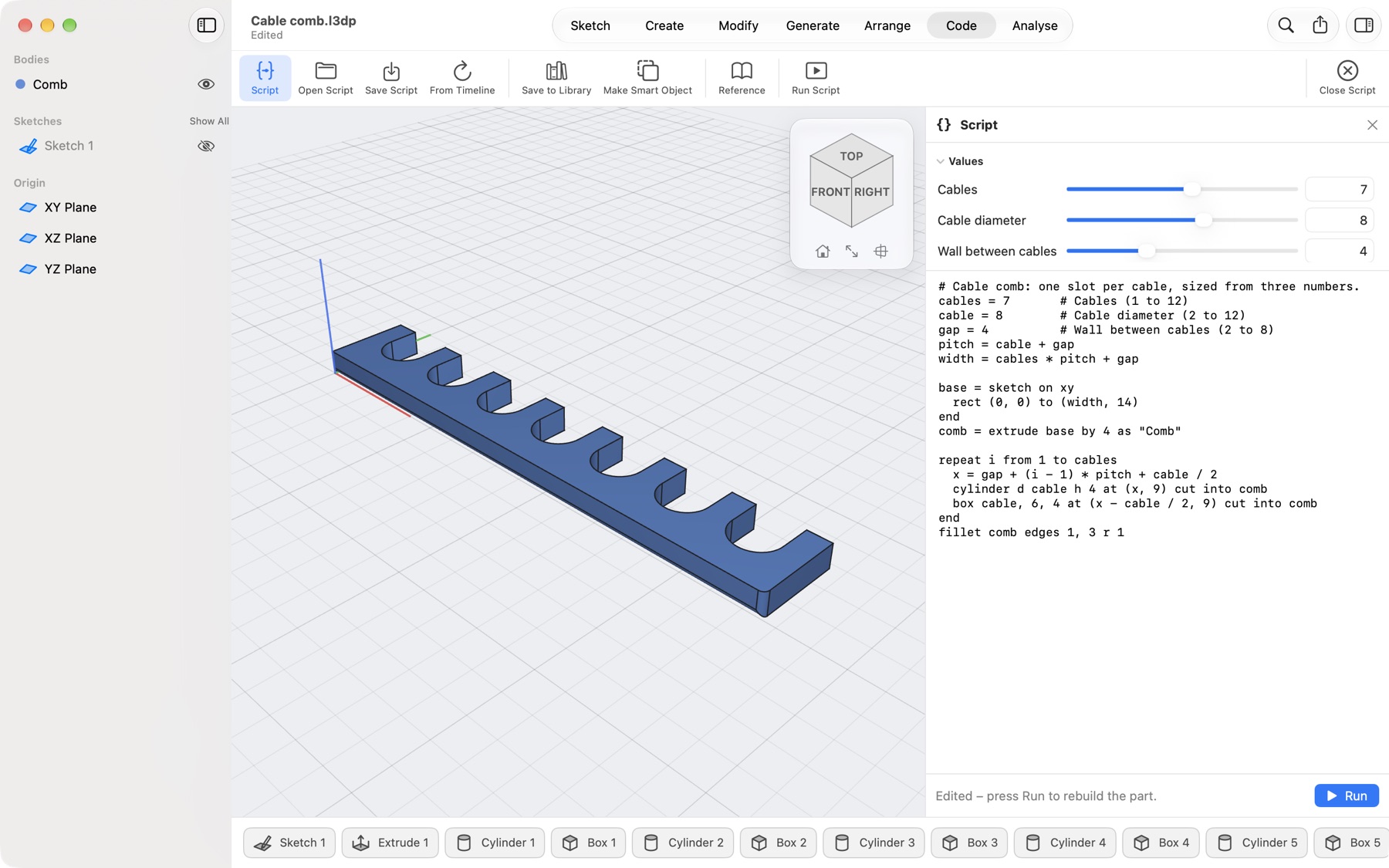
Every step of a part is one plain line, like comb = extrude base by 4. The numbers at the top become sliders: drag one and the part rebuilds beside it.

cables = 10 Rebuilds as you drag
A cable comb with six slots, made by a short script, with its three values as sliders above the script The same comb with ten slots after dragging the Cables slider to 10 The comb with seven wider slots for 8 mm cables
Scripts · Pro

Three numbers make the part

Cables, cable diameter and the wall between them. A repeat loop cuts one slot per cable; if, names and sums are there when you need them.

  • No programming language to learn; the reference sits next to the script
Scripts · Pro

Six cable slots or ten: drag one slider

The comb grows with every slot, its rounded ends and the fillet still in place, because each step is rebuilt from the values.

Scripts · Pro

Save it, use it again

Save a script as a file and run it in any project, its values set in a small form. Reading the script is free; running it is part of Pro.

New · Relief.l3dp

Maps and formulas you can hold

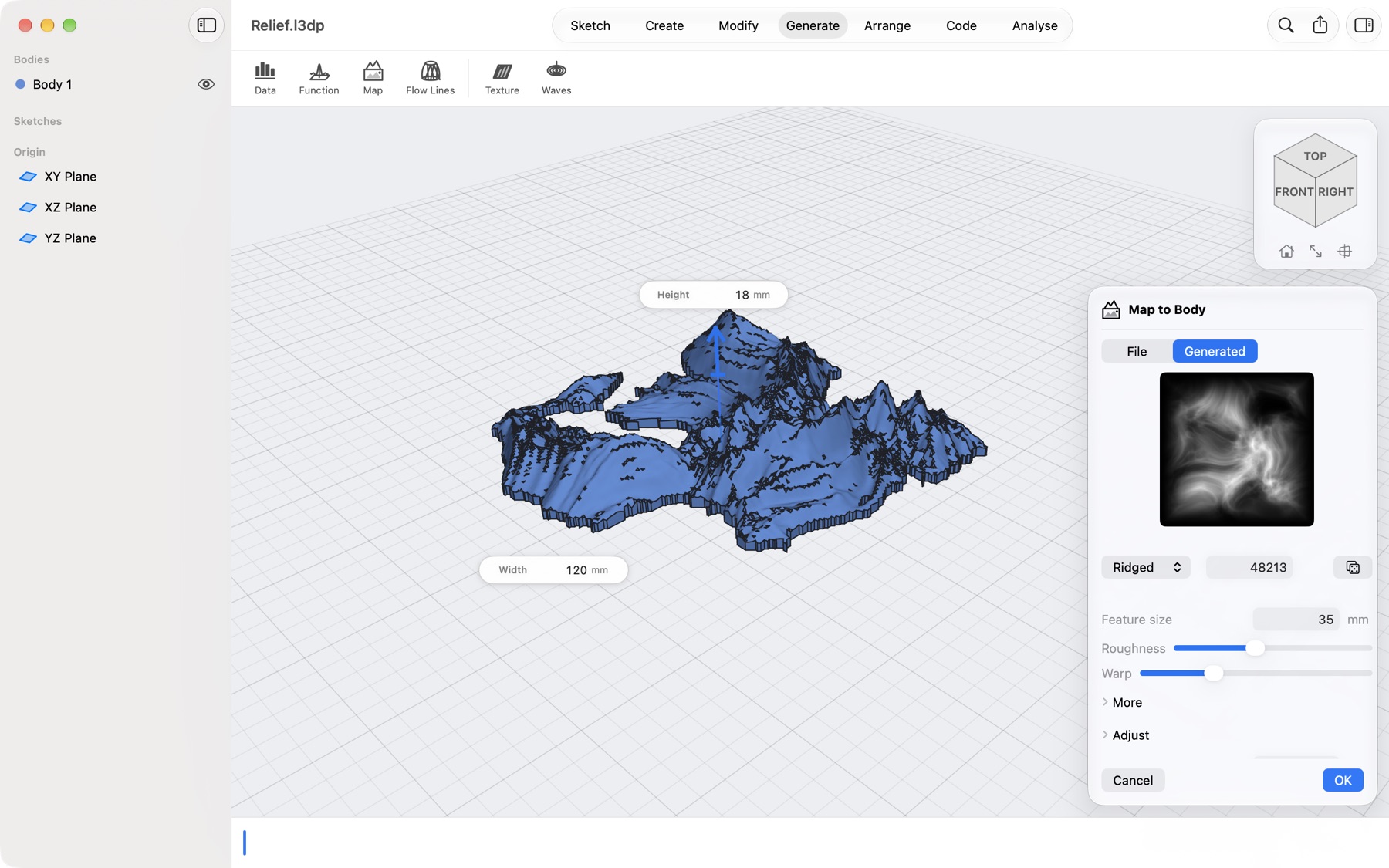
Turn a height map, an elevation model or a formula into a printable solid, with the same arrows and boxes as every other tool, and a step in the timeline you can open and change.

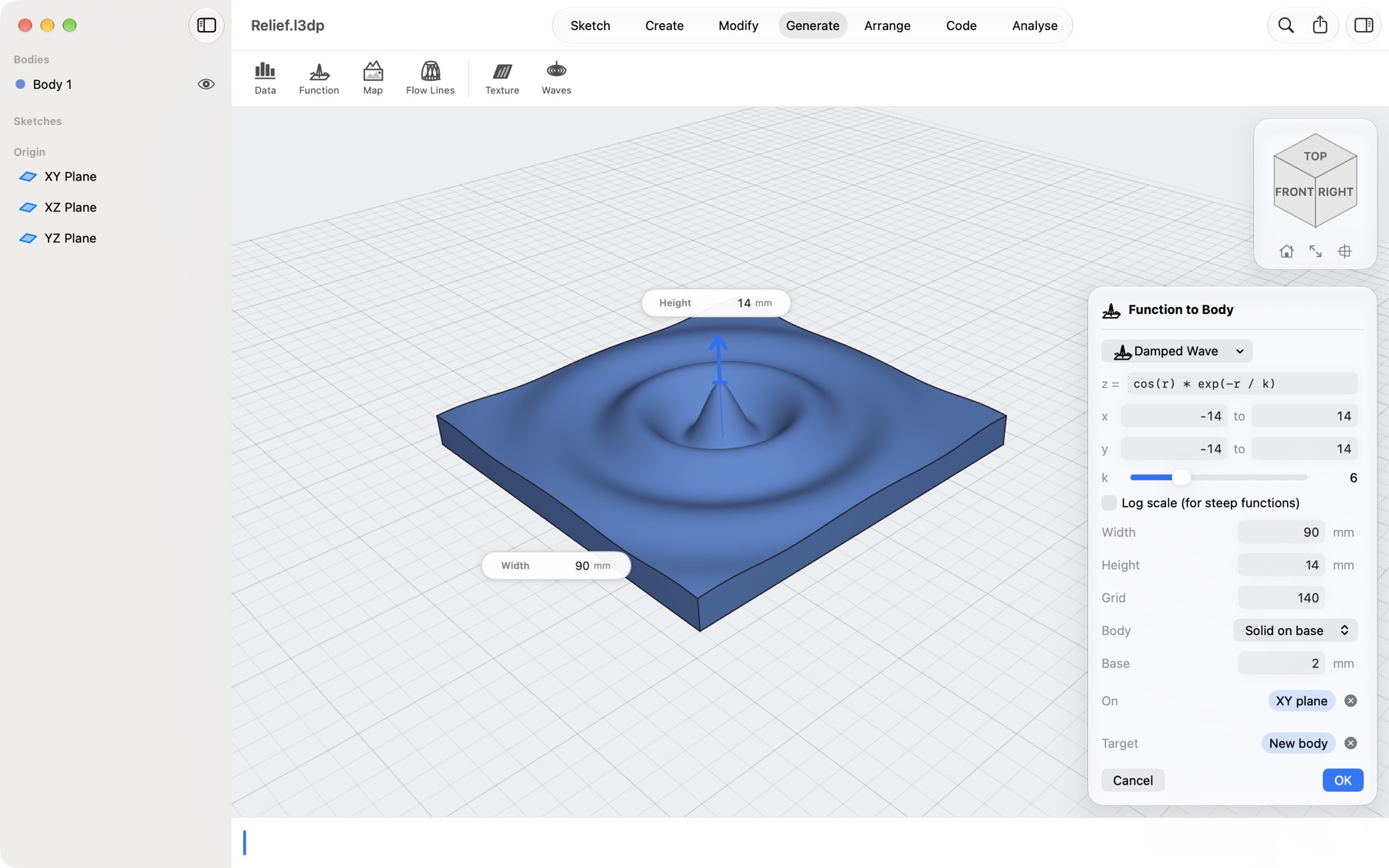
z = cos(r)·e−r/k GeoTIFF · SRTM · PNG · SVG
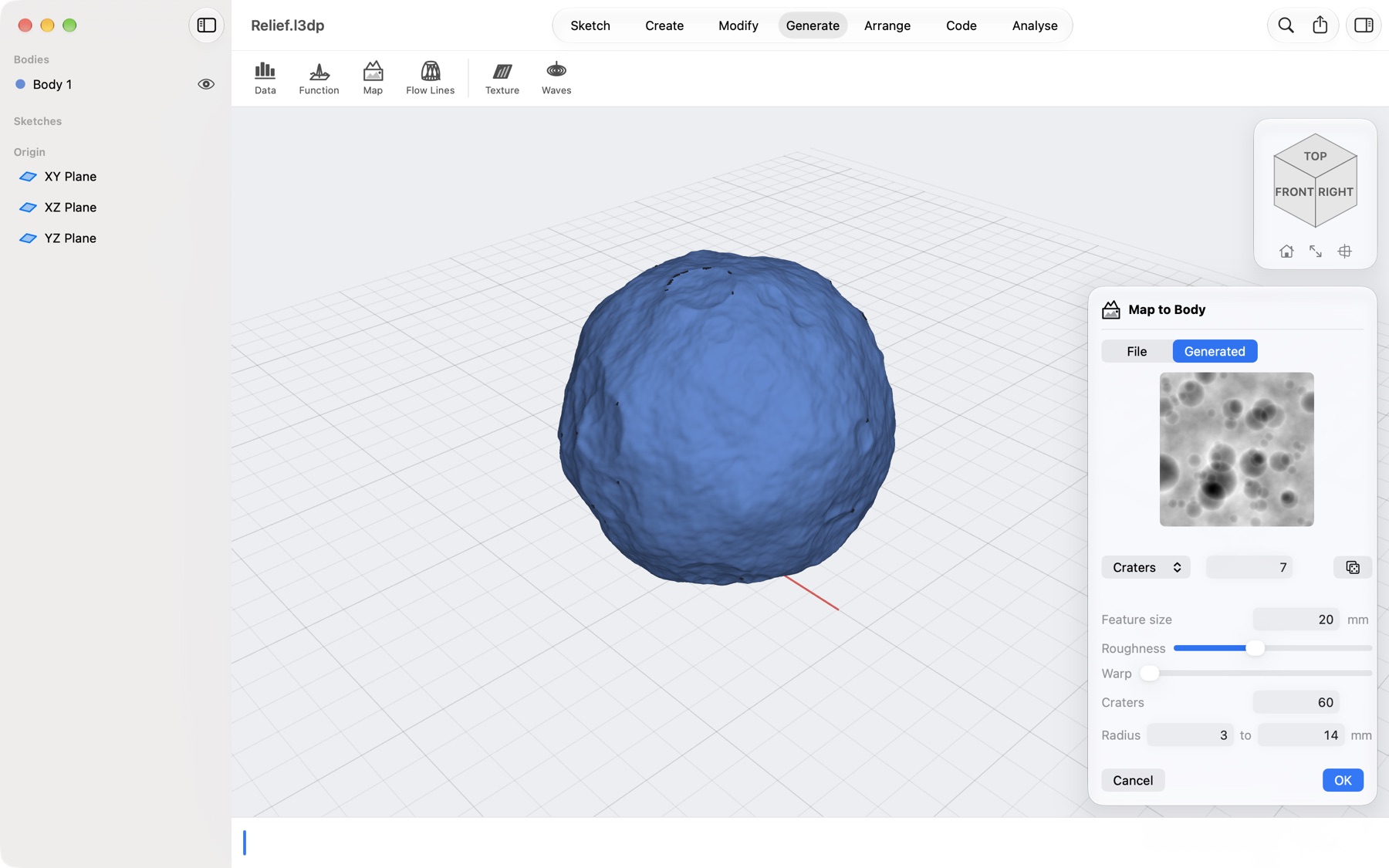
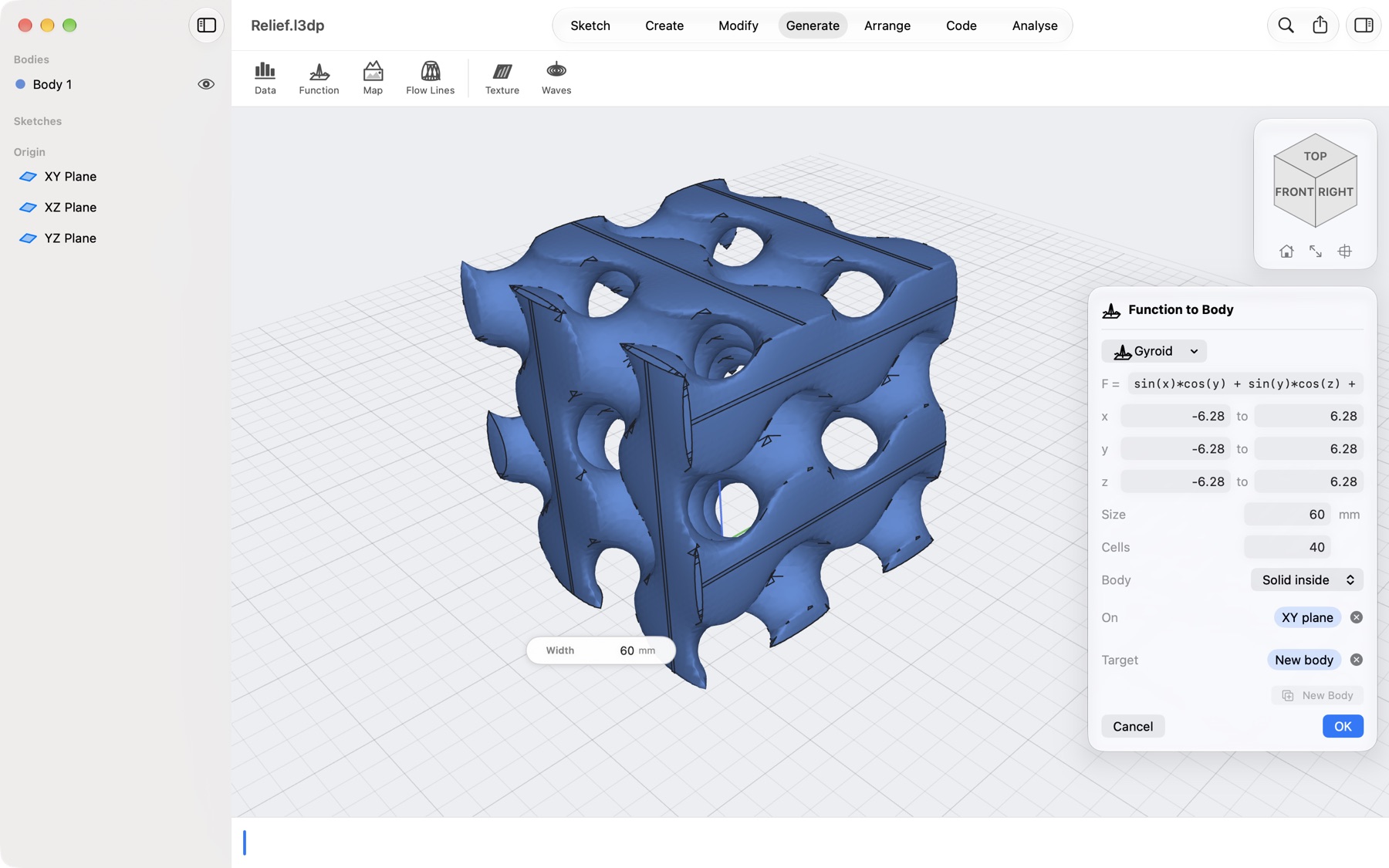
A generated island of ridged mountains, cut where the land meets the sea, with the Map to Body dialog and its preview picture A cratered moon from a generated map wrapped on a 40 mm globe A gyroid made with Function to Body, with its formula, ranges and size in the dialog A damped wave relief from the formula cos(r) times exp(-r/k), on a 2 mm base
Map to Body

Any map, as a relief you can print

Open a height map, a satellite elevation model or a heat map, or start from nothing with a generated landscape. Cut it to a circle, a sketch, or just where there is data: an island, a continent.

  • PNG, JPEG, HEIC and 16-bit images, GeoTIFF, SRTM .hgt and .asc elevation, SVG contours
  • Real heights with exaggeration, or a height in millimetres; sea level as a floor
  • Read a coloured map against its own legend with two clicks
Map to Body

Planets on your desk

Wrap a map round a globe of any size: the Moon from its elevation data, or a world of your own from generated craters. Hollow it with a wall to save filament.

Function to Body

Mathematics you can hold

Pick a surface from the catalogue, or type your own formula, and drag its sliders. Gyroids and other implicit surfaces become walls or solids you can print.

  • 29 presets: sombrero, saddles, Möbius strip, seashell, Schwarz P, Mandelbulb and more
  • z = f(x, y), parametric x, y, z of u and v, or F(x, y, z) = 0
Function to Body

Ripples, waves and saddles

Every graph sits on a base with flat sides, ready to print: set the width, drag the height arrow, slide a parameter and watch the surface change. Formulas are checked as you type, with the reason when something is wrong.

New · Board.l3dp

Too big for the bed? Print it in pieces

Draw a line, or a whole grid, across your part and split it along the sketch. Every seam gets locks with just enough clearance that the printed pieces slide together and stay put.

0.15 mm a side Jigsaw · Dovetail
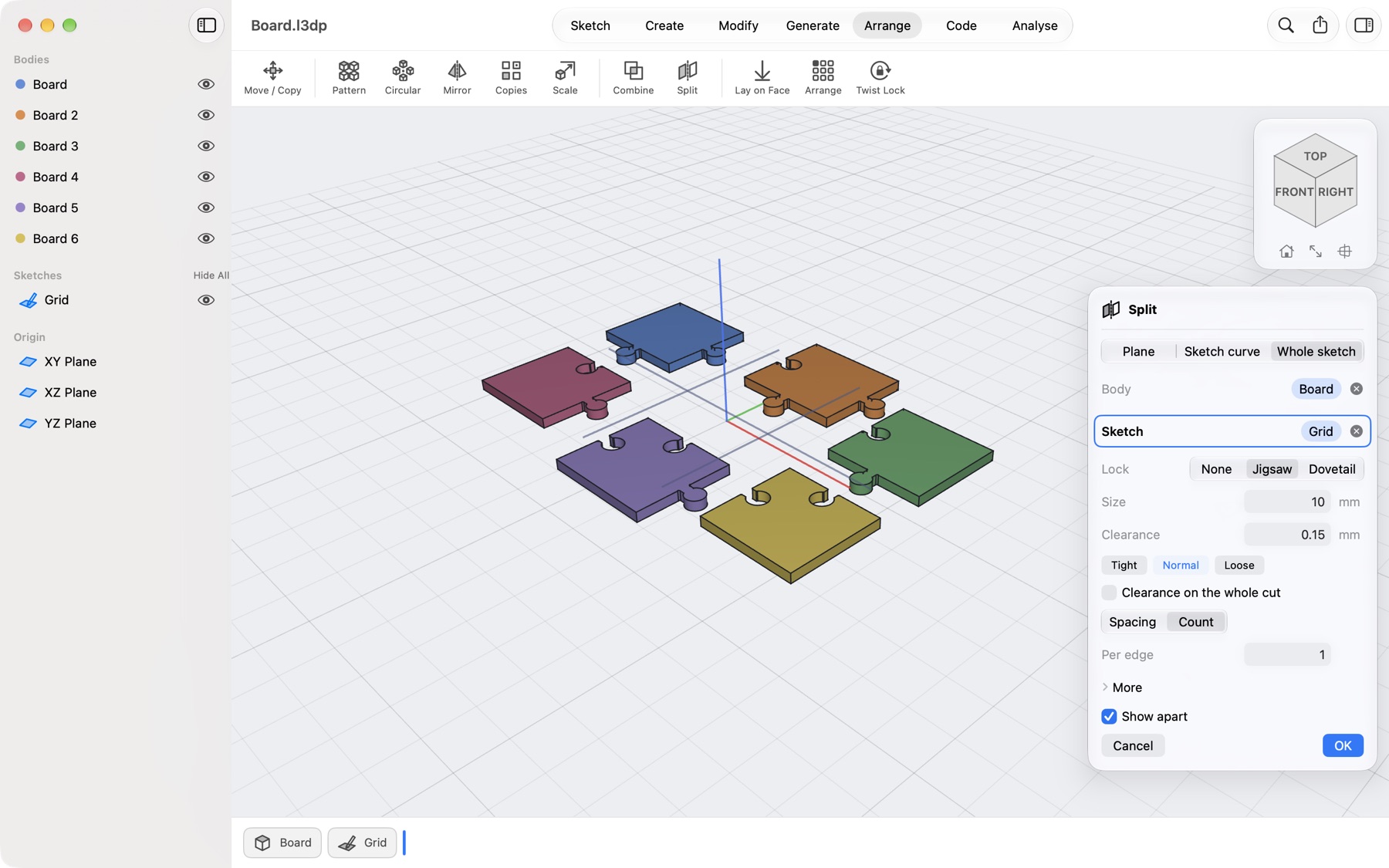
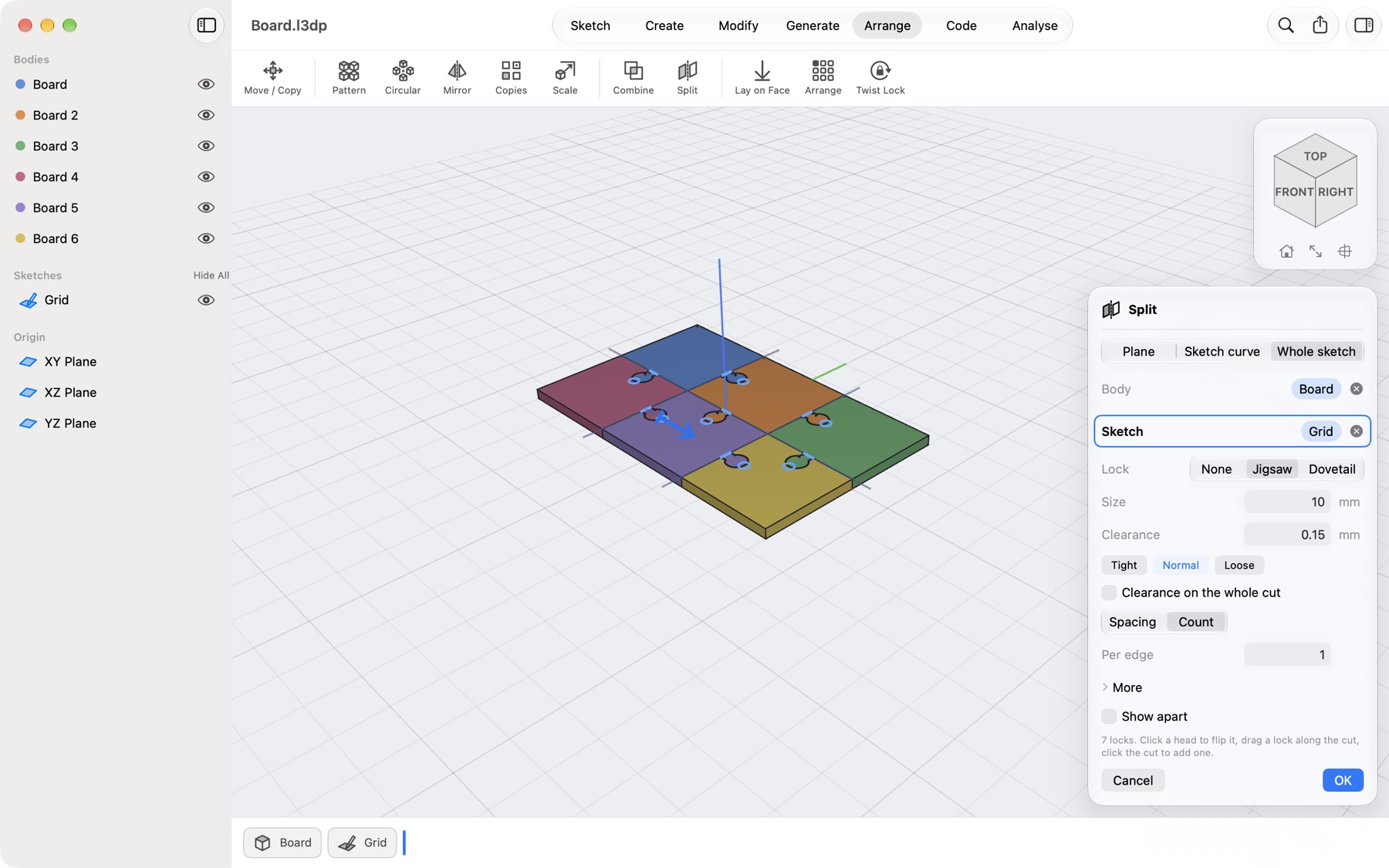
A 160 by 100 mm board split by a sketch grid into six coloured pieces with jigsaw locks along the seams The six pieces drawn apart, each with its jigsaw locks, with Show apart ticked in the Split dialog
Joint Split

One grid, six pieces

Choose the sketch and the lock: jigsaw or dovetail, tight, normal or loose. Click a lock to flip it, drag it along the seam, click the seam to add one.

  • Clearance around the locks or along the whole cut
  • Locks that would not fit near an edge or a hole are left out and marked red
Joint Split

See every piece before you print

Show apart draws each piece on its own, so you can check every lock. Press OK and each piece is a body of its own, ready to export as one file each.

New · Lampshade.l3dp

Lines that flow over a shape

Lampshades, vases and baskets made of lines. The shape underneath only carries them: what you print is the lines, crossing into a net or winding side by side, held together by a rim at each end.

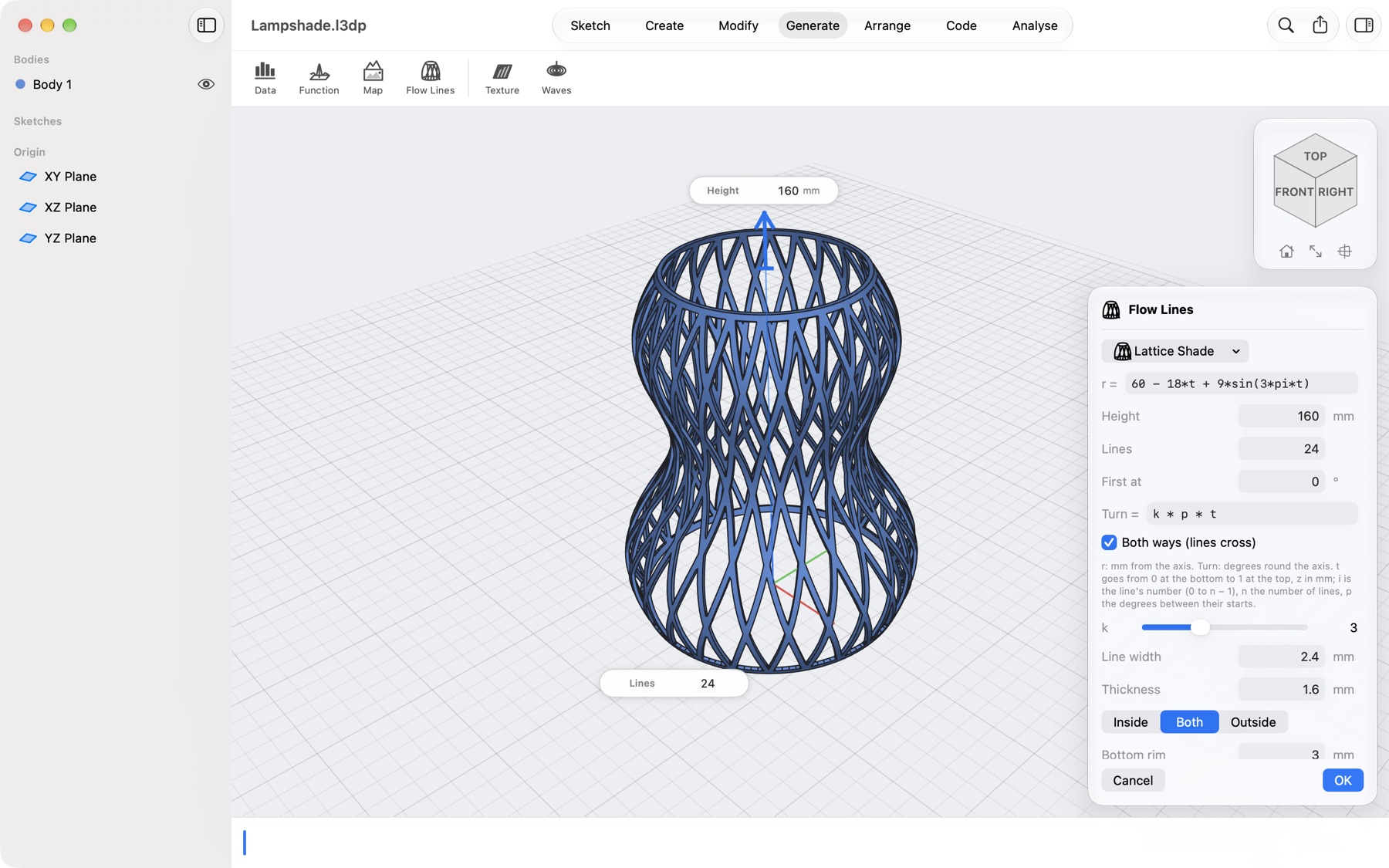
r = 60 − 18t + 9·sin(3πt) turn = k · p · t
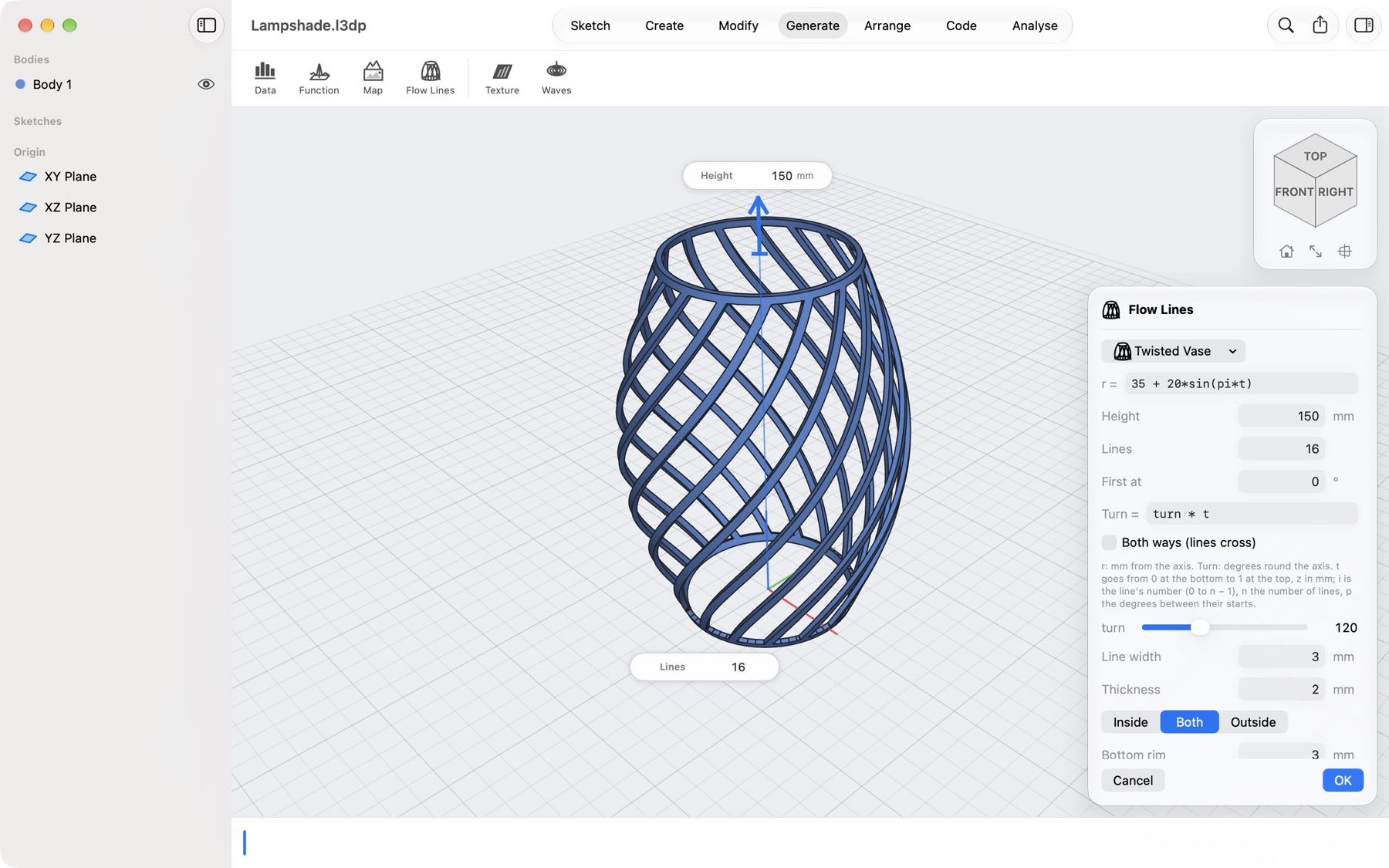
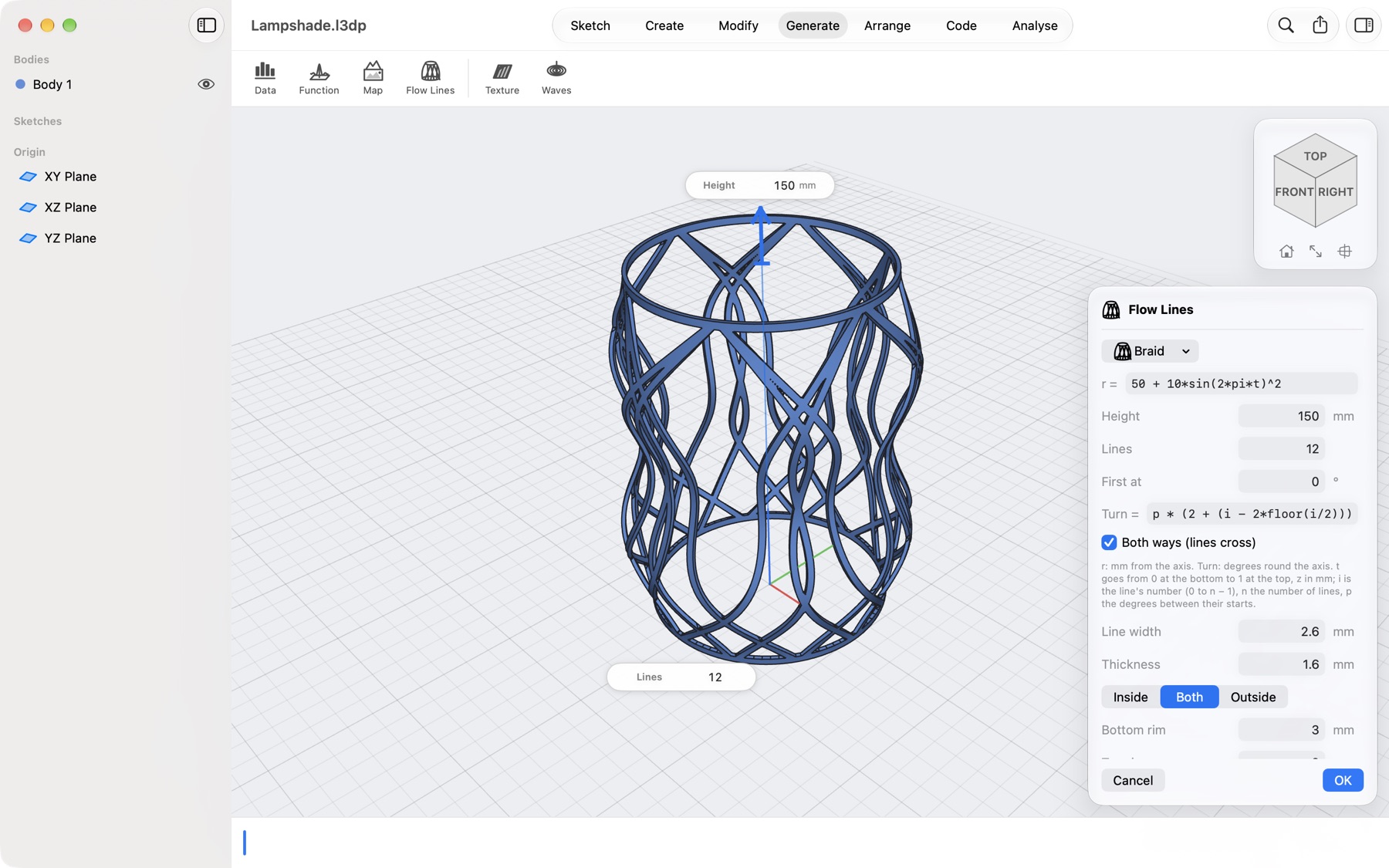
A lampshade of 24 crossing lines over a bulging profile, with the Flow Lines dialog and its formulas A twisted vase of 16 lines turning a third of the way round, with the Flow Lines dialog A braid of 12 lines, every other one turning further, with the Flow Lines dialog
Flow Lines · free

A shape, then the lines

The radius is a formula of the height: here it narrows, bulges and narrows again. Twenty-four lines start round the bottom and each turns three spacings by the top, one way and the other, so they cross into a lattice.

  • Drag the height arrow, type the number of lines on the model
  • Line width, thickness, inside, outside or both, rims at either end
Flow Lines · free

One slider, a new vase

Untick Both ways and the lines run side by side. Slide the turn from 0° to 360° and watch them go from straight ribs to a tight spiral; the bottom stays flat on the bed however the wall leans.

Flow Lines · free

Every line its own path

A path can use the line's number, so every other line can turn further and swing as it rises. Change the count and the pattern keeps its look, since paths are measured in spacings between the lines.

New · Jar.l3dp

Surfaces you can feel

A finish on the faces you choose: the solid stays exact, the relief goes into the mesh you print. Pick, set, watch the preview, OK, like every other tool.

16 patterns A·sin(2πd/λ)
A screw-top jar from the library with a basket-weave texture on its wall, the Texture dialog beside it A slab with three drops and their rings meeting, the Surface Waves dialog beside it
Texture · Pro, preview free

Knurl, weave, wood, leather

Click the jar's wall and choose Basket weave. Set the depth and the size of one repeat; turn it, try another variation. Near the edges the pattern fades out, so it meets the plain faces cleanly.

  • Flat faces in their plane, round faces unrolled with whole repeats, others blended from three sides
  • Follows its faces when you change earlier steps
Surface Waves · Pro, preview free

Rings that meet

Click three places on the slab. Each drop sends rings out over the surface; where two meet, they add up or cancel, as on a pond. On a dome or a vase they follow the curve.

New · Studs.l3dp

Design once, use everywhere

Start from a ready-made part, or from your own script, and keep it as a smart object. Place it as often as you like; change it once and every copy follows.

h = 3 + d / 5 Change once, all follow
The parts library's stackable box with two dividers, its values as sliders in the dialog Studs spread over a plate, each taller the further it is from the middle, with the Place Copies dialog
Parts library · free

Thirteen parts, ready to print

Pick a stackable box and drag its sliders: width, height, dividers, the clearance that lets the next box sit in it. OK adds it as ordinary steps, so you can fillet it, emboss a label or split it like anything else.

  • Storage, containers, electronics, mechanisms, mounting, home and a fit test
  • Save your own scripts as parts in My Parts
Smart objects

Copies that know where they are

Spread a stud over the plate every 12 mm. One formula, 3 + d / 5, makes each stud taller the further it stands from the middle. Join them to the plate, or cut them out as holes.

  • At points, in a grid, or over flat and curved faces
  • x, y, z, distance, number and count in formulas

New · Bracket.l3dp

Ready for the bed before the slicer

The jobs you used to do in the slicer, done in the design, where they stay when you change the part.

Bambu · Prusa · Creality Push · turn · click
A bracket, a knob and a tag with brim ears arranged inside the outline of a Bambu Lab A1 mini bed A canister split with a twist lock, the lid turned over to show the socket A table of numbers as bars on a plinth, with the Data to 3D dialog
Arrange · Brim ears

On your printer's bed

Choose your printer and its bed appears under the model, red when a part sticks out. Arrange spreads every part over it; Lay on Face turns a part onto the face you click; Brim Ears puts thin discs on sharp corners so they do not lift.

  • Teardrop tops for holes on their side, bridge layers over counterbores
  • One click chamfers every edge on the bed
Twist lock

Push, turn, click

Split a canister and the lock is built for you, as big as the cut allows: lugs, slots, a groove and a small bump to click past. Clearance, turn and lug count are yours to set.

Data to 3D

A table you can hold

Open a CSV of people per km², rainfall, sales: bars that touch or stand apart, a smooth surface, or columns at x and y. Log scale for data that spans many sizes.

Every tool

Everything a printable part needs

Threads that turn, enclosures, patterns and copies, each with the same pick, drag and type.

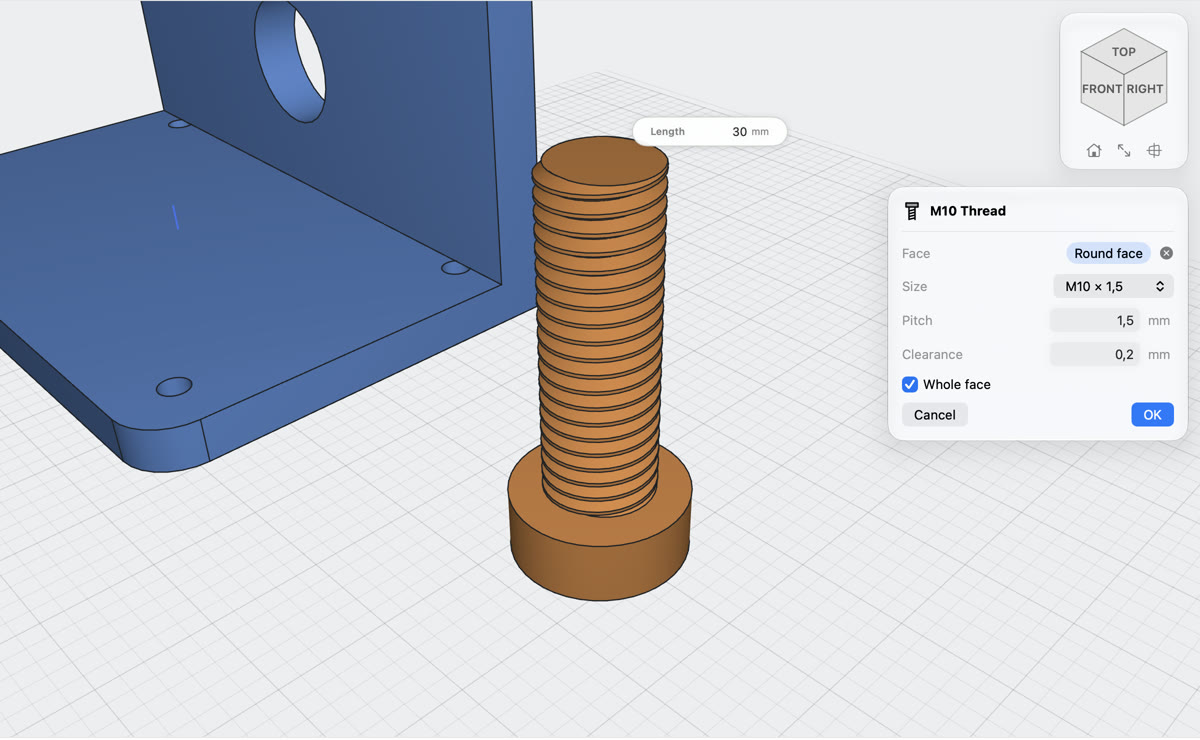
An M10 bolt with its thread cut along the shank, and the Thread dialog

Real threads that print

Click the side of a rod or the wall of a hole. Lets3dPrint picks the metric size that fits, cuts the thread, and leaves the clearance a printed bolt and nut need to turn.

  • M2 to M30, outside on rods and inside in holes
  • Clearance and length on the model, pitch when you need it
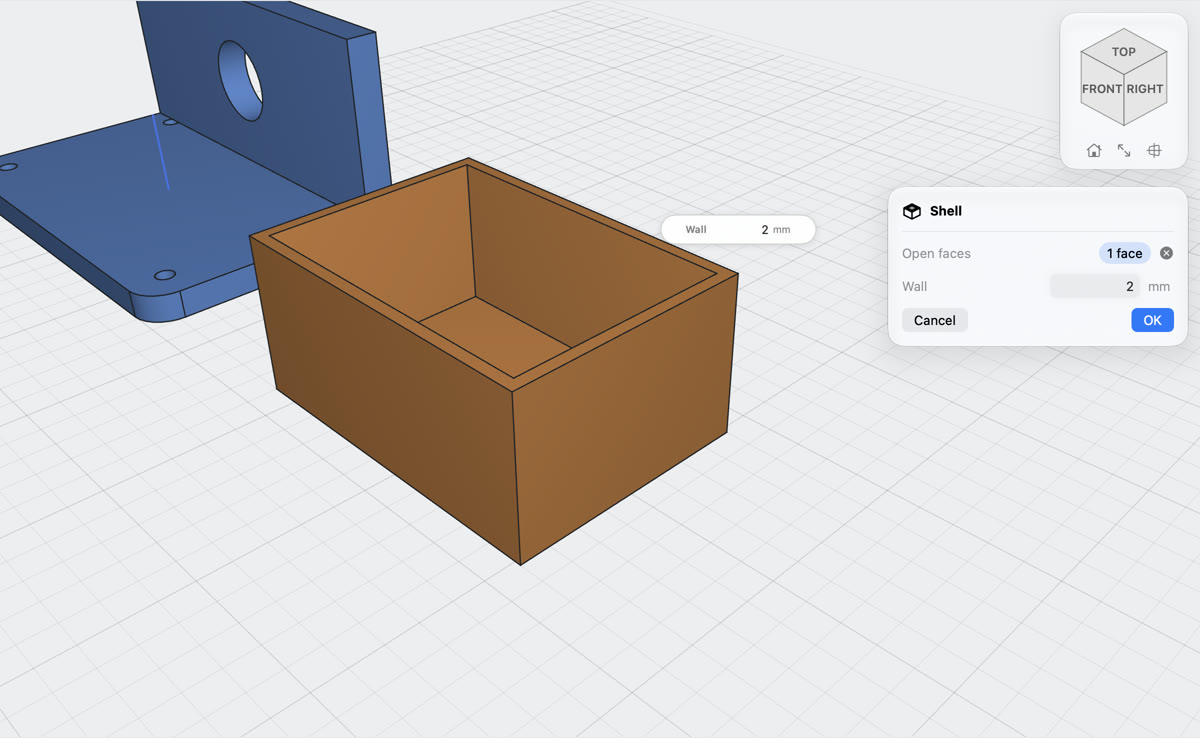
A box hollowed into an enclosure with 2 mm walls and its top open

Hollow it out in one click

Click the faces to leave open, type the wall thickness, and the body becomes an enclosure, a tray or a cup. Walls grow inwards, so the outside keeps its size.

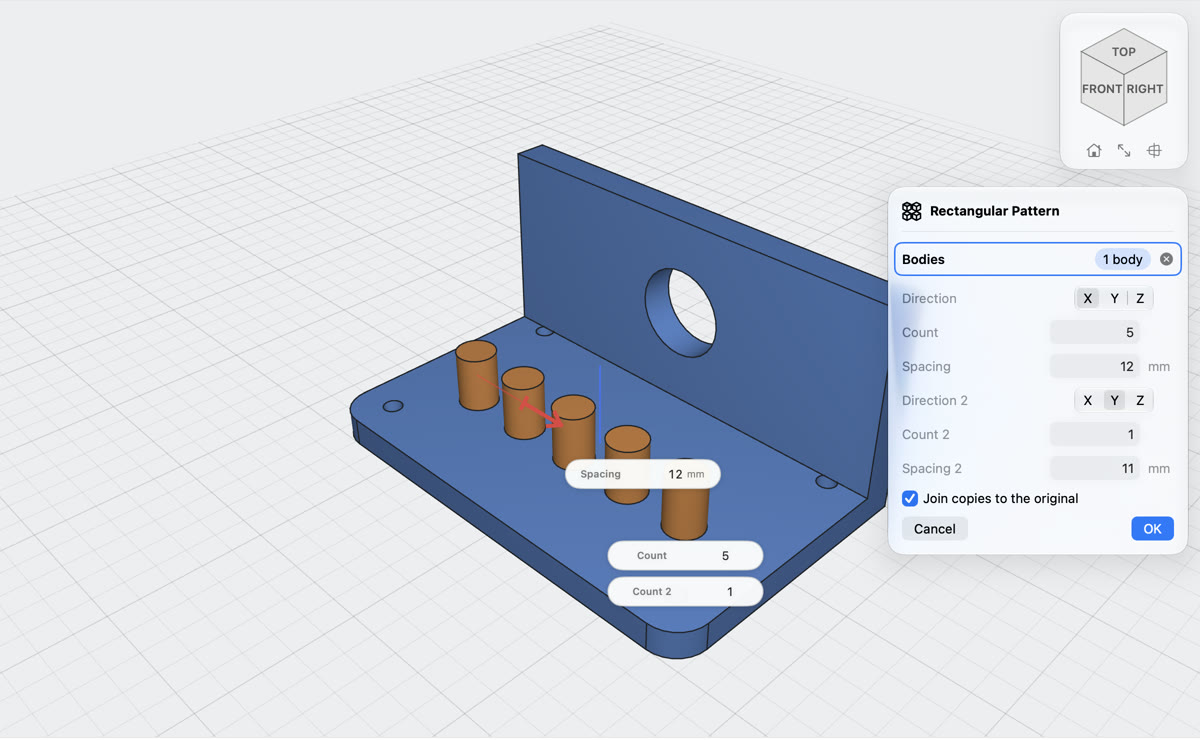
A peg repeated five times along the plate with a spacing arrow and count boxes

Patterns in a grid or a circle

Repeat bodies along X, Y or Z, or around any axis, with the spacing on an arrow and the counts in boxes on the model. Curves in a sketch too.

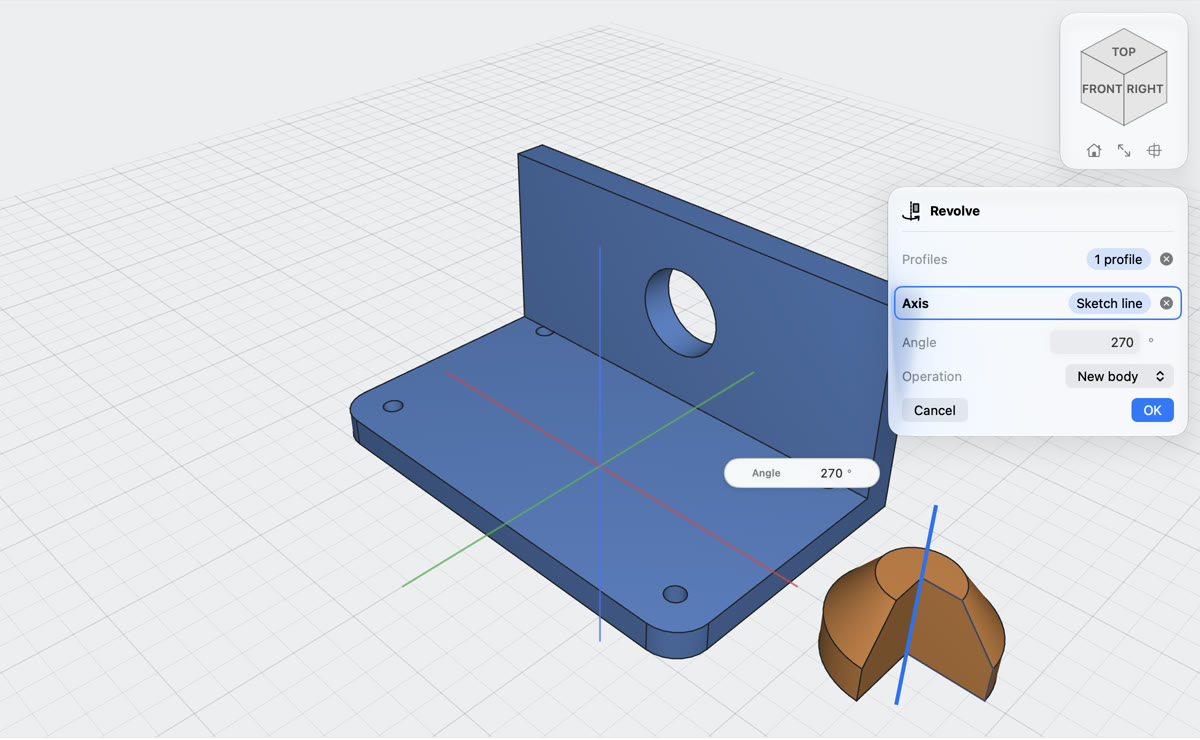
Revolving a knob profile 270 degrees around a sketch line, with the angle box on the model

Revolve around any line

Click the profile, then the axis: a line of your sketch, a straight edge of your part, or X, Y or Z. Type 270 and see it turn.

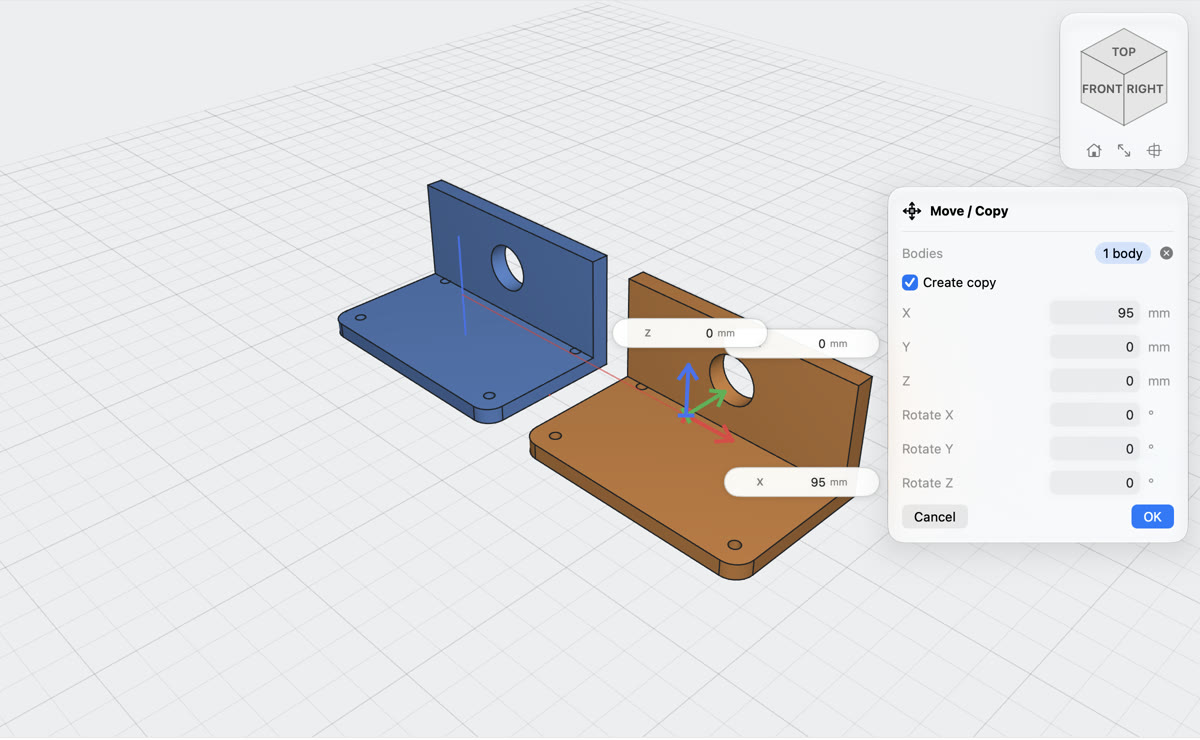
A copy of the bracket moved 95 mm along X with X, Y and Z arrows and value boxes

Move, copy and arrange

Red, green and blue arrows move bodies along X, Y and Z, with the exact distance on each. Rotate by typed angles, or keep the original and place a copy.

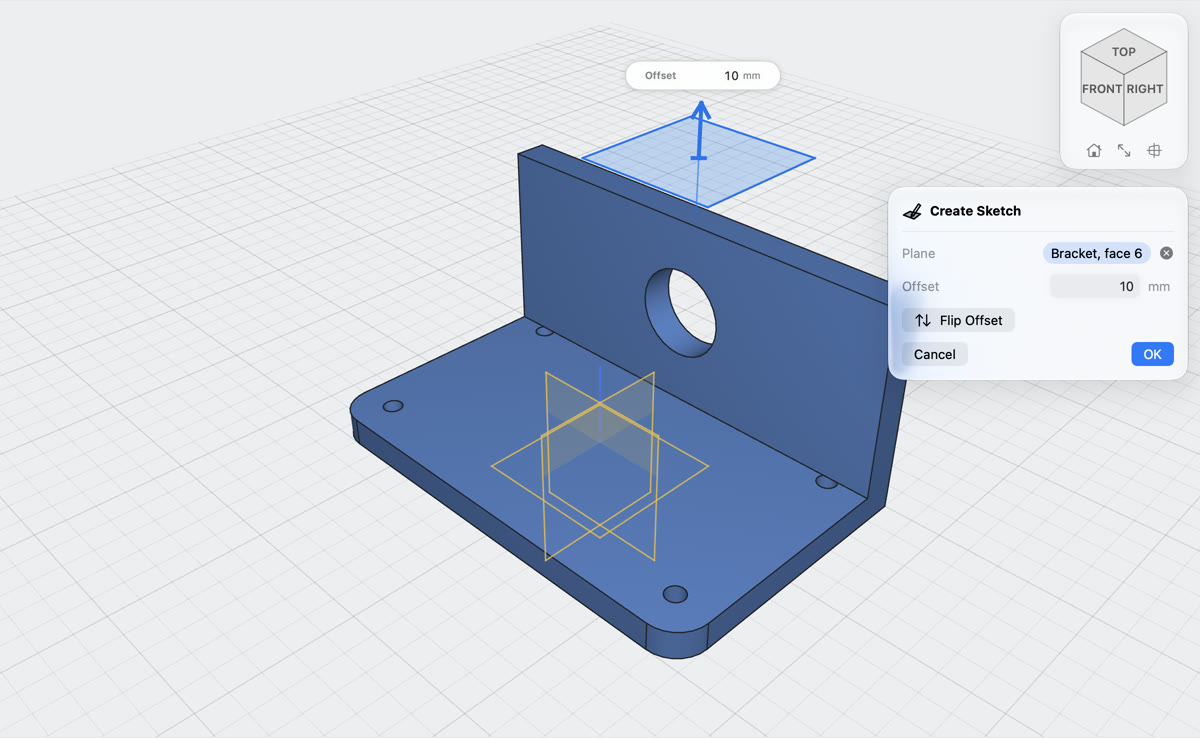
Creating a sketch plane 10 mm above the top of the bracket wall

Sketch on any face, at any height

Start a sketch on the XY, XZ or YZ plane or on any flat face of your part, and drag the arrow to offset it by exactly the distance you need.

And more

Beyond extrude

Sweep a profile along a path, loft between profiles, run a pipe along curves, add ribs from a single line, and combine, split or mirror whole bodies. Every one is a step in the timeline you can change later.

SweepLoftPipeRibMirrorCombineSplitScaleChamferCoilInsert SVGImport STL & 3MFSection view

Made for printing

From idea to print bed

Lets3dPrint runs on its own modelling kernel, made for printing: every part is a closed, watertight solid with exact flat faces, round holes and edges you can pick, and goes to your slicer as STEP, 3MF or STL.

STEP straight to your slicer

Opens in Bambu Studio, PrusaSlicer, OrcaSlicer and other CAD apps, with body names and colours.

3MF and STL

3MF with every body as its own object in its colour, or STL for any printer. One body, all of them, or one file each.

Bring in STEP, meshes and maps

Open STEP models with every part a body, STL and 3MF as solids, images, GeoTIFF and SVG contours as reliefs, then cut, drill and add to them.

Holes that print

Holes on their side get a teardrop or flat top, counterbores facing the bed a bridge layer, so neither needs support.

Every tool at ⌘K

Type a few letters of a tool's name, or what you want to do, and press Return.

Change your mind

Edit an early sketch or size and the whole part rebuilds. Suppress or roll back any step.

Offline and private

No account, no cloud, no tracking. Projects are files in Finder and iCloud Drive.

Find your way around

A view cube for any face, edge or corner, Home and Fit All, and views that turn smoothly as you start or finish a sketch.

Exact values on the model

Distance, radius, angle and X/Y/Z boxes sit next to what they change. Type a number or a sum like 40/2+3.

Native on Apple silicon

Metal viewport, trackpad orbit and pinch zoom, keyboard shortcuts for the common tools.

Pricing

Free to model. Pro to export.

Design, save and open as many projects as you like for free, with the parts library and smart objects. Lets3dPrint Pro unlocks STEP, 3MF and STL export, Print Check, textures, surface waves and running scripts.

Free

$0
forever
  • All modelling tools
  • The parts library and smart objects
  • Data to 3D, maps, formulas, Joint Split, twist locks
  • Unlimited projects, save and open
  • Texture and wave previews
Download free

Pro Monthly

$0.99
per month · 1 week free
  • STEP, 3MF and STL export
  • Textures and surface waves
  • Print Check for your nozzle
  • Parametric scripts
  • Cancel any time
Try a week free
Best value · save 41%

Pro Yearly

$6.99
per year · 1 week free
  • STEP, 3MF and STL export
  • Textures and surface waves
  • Print Check for your nozzle
  • Parametric scripts
  • 41% less than monthly
Try a week free

Prices in US dollars; the App Store shows the price for your country. Subscriptions renew automatically unless cancelled at least 24 hours before the end of the current period, and are managed in your App Store account settings. Purchases are shared with your family through Family Sharing.

FAQ

Questions

Something else? Write to support, or ask for a feature.

Which slicers can open the files?

STEP files open in Bambu Studio, PrusaSlicer (2.5 and later), OrcaSlicer and most CAD apps. 3MF and STL files open everywhere.

Do I need an account or internet connection?

No. Lets3dPrint works offline and has no account. Purchases use your Apple Account through the App Store.

What is free and what needs Pro?

All modelling, the parts library, smart objects, Data to 3D, Flow Lines, saving and opening are free. Exporting STEP, 3MF and STL files, Print Check, keeping textures and surface waves (their preview is free) and running scripts need Lets3dPrint Pro, monthly or yearly, each with a free first week.

Are textures in the files I export?

Yes, in STL and 3MF: the textured surface is what your slicer gets, and Print Check measures it. STEP keeps the exact solid without the texture, since STEP describes exact shapes, not relief.

What is a smart object?

A part with its own steps and values that you keep in the project and place many times: at points, in a grid or spread over a face. Each placement can set the values, and a formula can work them out from where each copy stands. Edit the object and every copy changes. Make one from a library part (Make Smart Object) or from the script panel.

Which tables can Data to 3D read?

CSV, TSV and text with semicolons or spaces between the numbers. A first row of headings and a first column of labels are recognised and left out; decimal commas work with semicolons and tabs. Three columns of numbers (x, y, value) can become columns standing at x and y.

Can I print a map or a terrain?

Yes. Generate → Import Map opens an image, a GeoTIFF, an SRTM .hgt tile, an .asc grid or SVG contour lines and makes a relief from it, on a base, as a thin wall or round a globe. Create → Generate Map makes a landscape from a seed. Real heights look flat at map scale, so use exaggeration, or set the height in millimetres.

Can I make a lampshade or a vase?

Yes. Generate → Flow Lines opens a lattice shade at once; choose Twisted Vase, Wavy Lines or Braid, or type your own profile and path. The lines and the rims print as one solid with a flat bottom. Pick a flat face first and the lines stand on it, joined to that part.

My part is bigger than my printer. What now?

Draw the cut lines in a sketch across the part, then choose Split → Sketch curve or Whole sketch. The pieces get jigsaw or dovetail locks with clearance for your printer (0.15 mm a side by default), so they slide together after printing.

Is there an iPad version?

The Mac app comes first. The app is built to run on iPad too, and an iPad release is planned.

How do I cancel a subscription?

Open the App Store, click your name, then Account Settings → Subscriptions. You keep Pro until the end of the period you paid for.

A tool I need is missing. Can I ask for it?

Yes, please. Request a feature and tell us what you want to print. In the app it is under Help → Request a Feature… and in Settings.

I bought Pro on another Mac. How do I get it here?

Open Lets3dPrint → Settings → Pro and click Restore Purchases, signed in with the same Apple Account.
Your next part starts tonight

Download Lets3dPrint and model as much as you like for free. Go Pro when it is time to print.
Download free

macOS 26 or later · Apple silicon